Margabagus.com – The agentic AI workflows revolution is reshaping how businesses approach automation. While companies continue paying virtual assistants an average of $53,100 annually according to Glassdoor data from July 2025¹, forward-thinking organizations are discovering that n8n automation platforms can deliver the same capabilities at a fraction of the cost. Recent studies reveal that businesses implementing automated workflows achieve 240% ROI within just 6-9 months², transforming what was once a significant operational expense into a strategic advantage. Ready to discover how you can join the ranks of enterprises saving hundreds of thousands annually while scaling beyond human limitations?
The Current State: Why Virtual Assistants Are Becoming Unsustainable
In today’s competitive landscape, businesses are grappling with an uncomfortable reality. The traditional model of hiring virtual assistants is creating unsustainable cost pressures that are forcing companies to reconsider their operational strategies.
The True Cost of Human Virtual Assistants
Recent salary data from multiple authoritative sources paints a clear picture of the financial burden virtual assistants place on organizations. According to Indeed’s July 2025 report, virtual assistants in the United States command an average hourly rate of $27.26³. PayScale’s latest data shows rates averaging $19.29 per hour⁴, while Glassdoor reports annual salaries ranging from $41,861 to $67,835, with the median settling at $53,100⁵.
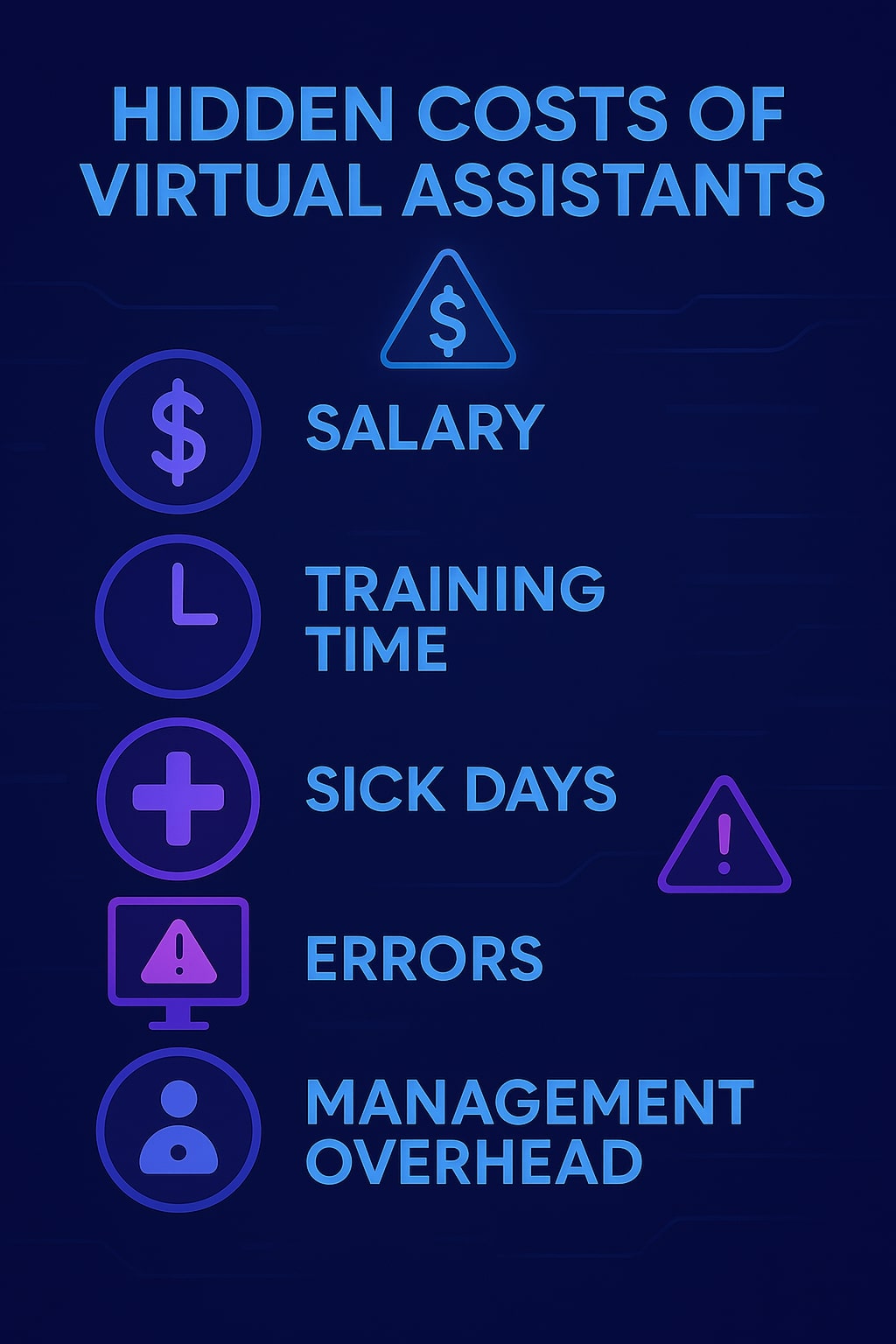
When we break down these numbers, even at the conservative PayScale rate, a full-time virtual assistant costs approximately $40,123 annually. However, that’s just the beginning. Factor in benefits, training time, management overhead, and the inevitable periods of reduced productivity, and you’re looking at total costs that can easily exceed $50,000 per year.
The Hidden Expenses Nobody Talks About
Beyond the obvious salary costs, virtual assistants carry hidden expenses that compound their true cost. Training new hires typically requires 2-4 weeks of reduced productivity as they learn your systems and processes. Sick days, vacation time, and unexpected absences create workflow disruptions that can cascade through your entire operation.
Moreover, human assistants have inherent limitations. They work within standard business hours, process tasks sequentially, and are prone to errors that require correction and oversight. According to Mordor Intelligence, fewer than 1% of business applications used agentic AI in 2024, but this is expected to reach 30% by 2028⁶, indicating a massive shift away from traditional human-dependent workflows.
The Problem: Inefficiencies That Drain Your Resources
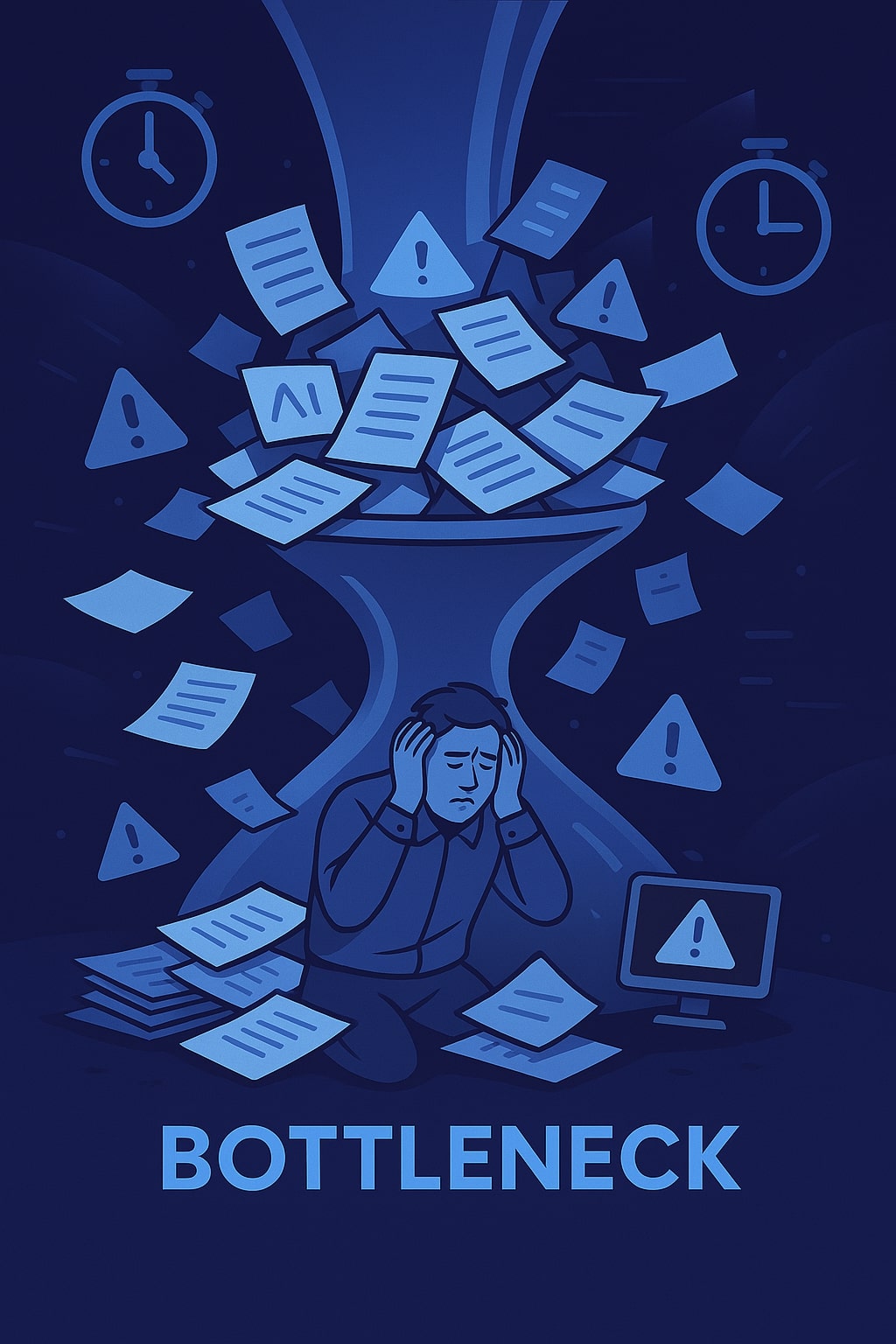
Most organizations don’t realize how much productivity they’re losing through traditional virtual assistant models until they examine the data closely.
Processing Speed Limitations
Human virtual assistants, regardless of their skill level, operate at biological speeds. Data entry, email management, appointment scheduling, and document processing—these routine tasks that form the backbone of business operations—are completed at rates that pale in comparison to what modern automation can achieve.
Consider a typical scenario: AI workflow automation cost savings ROI becomes evident when you realize that manual invoice processing costs between $15-17 per invoice and takes 9-11 days, compared to under $3 and 48 hours with automation⁷. This represents not just cost savings, but a dramatic improvement in business velocity.
Error Rates and Quality Control
IBM’s 2025 research with Morning Consult reveals that 99% of developers are exploring or developing AI agents⁸, driven largely by the need to reduce human error. Virtual assistants, despite their best efforts, introduce mistakes that require costly corrections. These errors compound over time, creating quality control issues that affect customer satisfaction and operational efficiency.
Scalability Constraints
Perhaps the most significant limitation is scalability. When your business grows, hiring additional virtual assistants means multiplying all the associated costs and complexities. Each new hire requires onboarding, training, management, and integration into existing workflows. This linear scaling model becomes prohibitively expensive as organizations expand.
Check out this fascinating article: The Ultimate AI Agent Tools and Frameworks Comparison Guide for 2025: Which Solution Is Right for You?
The Solution: Building Your Agentic AI Workflow System
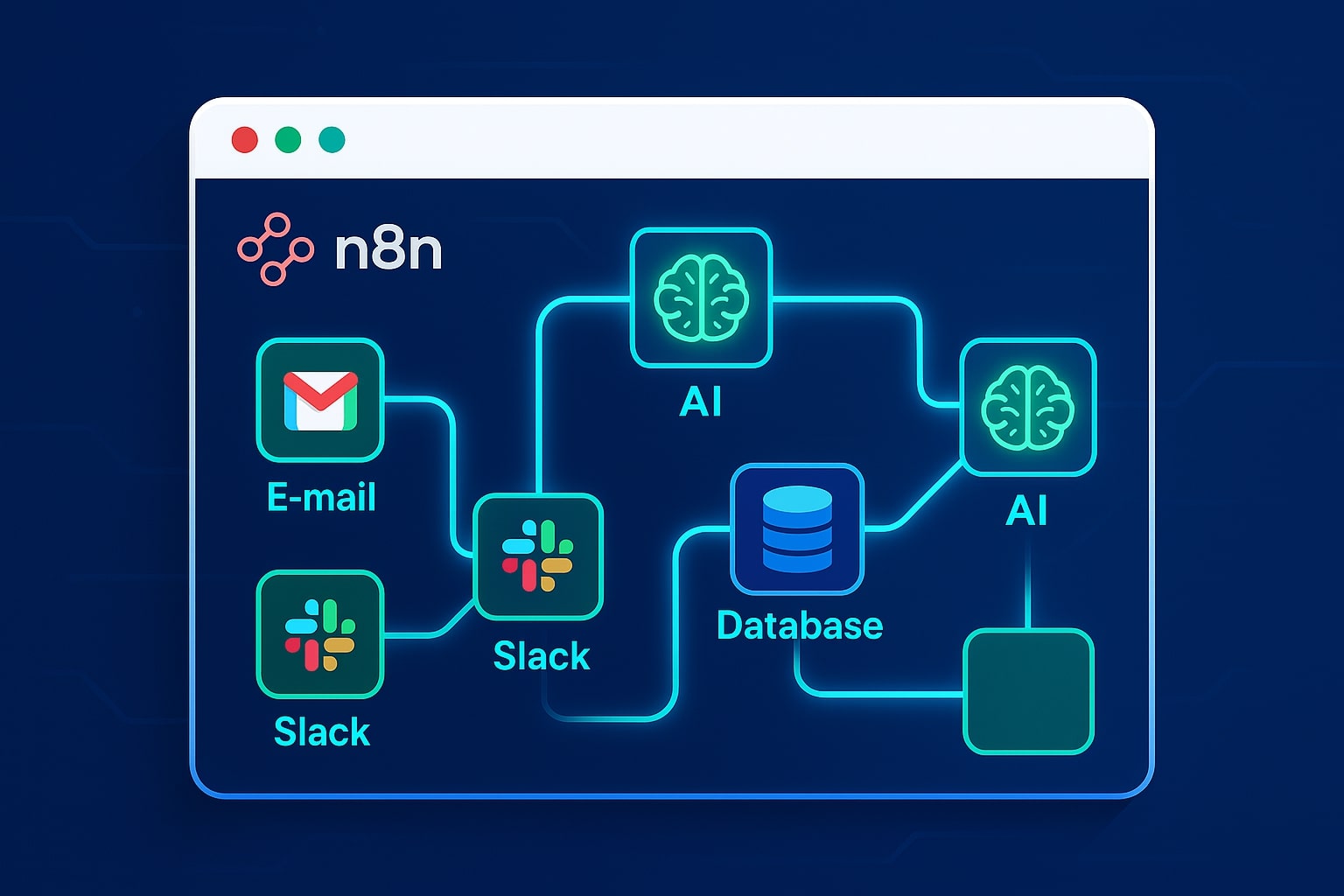
The transformation from traditional virtual assistants to agentic AI workflows automation platform solutions represents more than just a cost-cutting measure—it’s a fundamental reimagining of how work gets done.
Understanding Agentic AI Workflows
Unlike traditional automation that follows rigid, pre-programmed rules, agentic AI workflows feature autonomous decision-making capabilities. As Gartner predicts, at least 15% of day-to-day work decisions will be made autonomously through agentic AI by 2028, up from 0% in 2024⁹. These systems can perceive their environment, reason through challenges, and dynamically adapt their behavior to achieve goals.
The key differentiator is intelligence. While traditional automation executes “if-then” scenarios, agentic workflows think, plan, and execute complex multi-step processes. They can handle exceptions, learn from patterns, and even collaborate with other AI agents to complete sophisticated tasks.
Why n8n Is the Ideal Platform
n8n emerges as the optimal choice for implementing enterprise automation virtual assistant alternative solutions due to its unique combination of accessibility and power. With over 400 integrations and 66,000+ GitHub stars¹⁰, n8n has proven its reliability in enterprise environments while maintaining the flexibility that technical teams demand.
The platform’s “fair-code” licensing model means you maintain full control over your data and deployments—a critical consideration for businesses handling sensitive information. Unlike proprietary alternatives that lock you into vendor ecosystems, n8n’s open-source foundation ensures long-term viability and customization capabilities.
Step-by-Step Tutorial: Building Your First Agentic Workflow
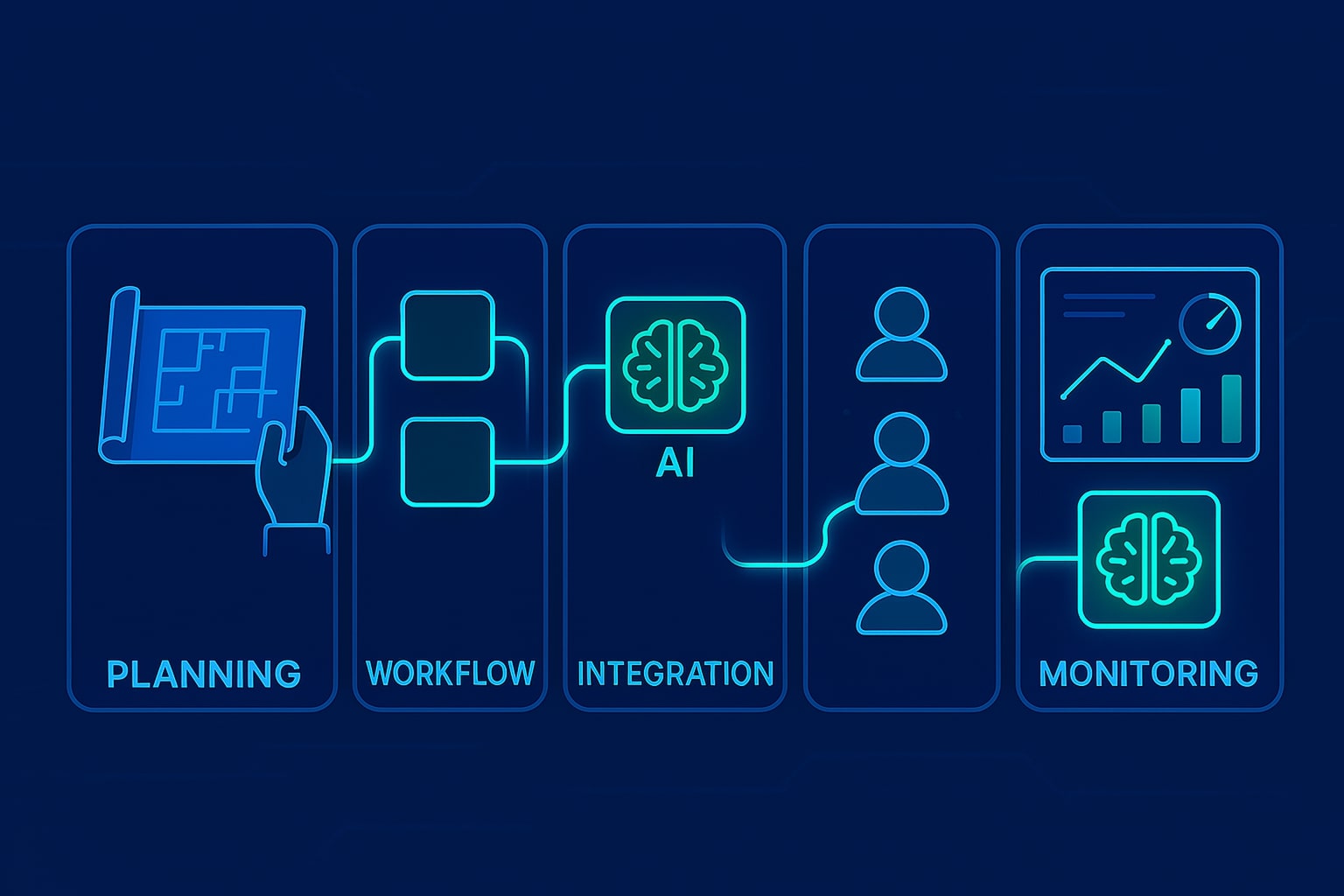
Phase 1: Environment Setup and Planning
1.1 Choose Your n8n Deployment Method
For beginners, start with n8n Cloud (cloud.n8n.io) which offers a 14-day free trial. Simply register with your business email and you’ll have immediate access to the platform. For organizations requiring data control, follow the self-hosted installation:
# Docker installation (recommended)
docker run -it --rm --name n8n -p 5678:5678 -v ~/.n8n:/home/node/.n8n n8nio/n8n

# Or via npm
npm install n8n -g
n8n start
Access your n8n instance at http://localhost:5678 and create your admin account. Set up your workspace name and configure basic settings including timezone and default execution settings.
1.2 Complete Initial Platform Configuration
Navigate to Settings → Environments and configure your execution settings:
- Set “Timeout for workflows” to 1200 seconds
- Enable “Save execution progress” for debugging
- Configure “Maximum execution time” to 3600 seconds for complex workflows
In the Credentials section, prepare connection templates for your most-used services. Click “Add Credential” and pre-configure:
- Google Workspace (Gmail, Sheets, Calendar)
- Microsoft 365 (Outlook, Teams, SharePoint)
- Slack API credentials
- Database connections (MySQL, PostgreSQL)
1.3 Conduct Virtual Assistant Task Audit
Create a comprehensive inventory using this structured approach:
Daily Tasks Assessment:
- Email management: List average emails processed daily, response time requirements
- Calendar management: Count appointment scheduling requests, meeting coordination tasks
- Data entry: Document forms processed, databases updated, reports generated
- Customer service: Track inquiry types, response patterns, escalation frequency
Time Investment Analysis: Record actual time spent on each task category for one week. Use this template:
- Task Category | Time Spent | Frequency | Complexity Level (1-5) | Error Rate
- Email sorting | 2 hours/day | Daily | 2 | 5%
- Appointment scheduling | 1.5 hours/day | Daily | 3 | 10%
- Lead data entry | 3 hours/day | Daily | 1 | 15%
Phase 2: Core Workflow Construction
2.1 Build Your First Email Management Workflow
Start with n8n’s Canvas interface. Click “Add Workflow” and name it “Email Triage and Response System.”
Step 1: Configure Gmail Trigger
- Drag the “Gmail Trigger” node onto your canvas
- Select “On Email Received” as the trigger event
- Connect your Gmail credentials (Settings → Credentials → Google OAuth2)
- Set filters: “has:attachment OR subject:urgent OR from:[email protected]”
- Configure checking interval to 60 seconds
Step 2: Add AI Analysis Node
- Add an “OpenAI” or “Anthropic Claude” node
- Connect it to the Gmail trigger with a connecting line
- Configure the prompt template:
Analyze this email and return JSON with:
{
  "priority": "high/medium/low",
  "category": "support/sales/billing/general",
  "sentiment": "positive/neutral/negative",
  "requires_attachment": true/false,
  "suggested_response": "brief response suggestion",
  "escalate_to_human": true/false
}

Email Subject: {{$node["Gmail Trigger"].json["subject"]}}
Email Body: {{$node["Gmail Trigger"].json["snippet"]}}
Step 3: Implement Conditional Logic
- Add an “IF” node after the AI analysis
- Set condition:
{{$node["OpenAI"].json["priority"]}} === "high" - Create two paths: “High Priority” and “Standard Priority”
Step 4: Configure Response Actions For High Priority path:
- Add “Slack” node to notify team immediately
- Configure message: ” High priority email from {{$node[“Gmail Trigger”].json[“from”]}}: {{$node[“OpenAI”].json[“suggested_response”]}}”
- Add “Gmail” node to send auto-acknowledgment
- Set template: “Thank you for your email. Due to the urgent nature of your request, our team will respond within 2 hours.”
For Standard Priority path:
- Add “Google Sheets” node to log the inquiry
- Map fields: Date, From, Subject, Category, Priority, AI Suggestion
- Add delayed “Gmail” response node with 30-minute delay
- Template: “Thank you for contacting us. Based on your inquiry about {{$node[“OpenAI”].json[“category”]}}, here’s some initial information: {{$node[“OpenAI”].json[“suggested_response”]}}”
2.2 Test and Refine Your Workflow
Click “Execute Workflow” to test with sample data. Use the “Add Test Email” feature:
- Send a test email to your monitored address
- Watch each node execute in real-time
- Check output data at each step using the node inspection panel
- Verify Slack notifications and Gmail responses are properly formatted
Common troubleshooting steps:
- If Gmail trigger fails: Check OAuth2 permissions and scope settings
- If AI responses are inconsistent: Refine your prompt template with more specific instructions
- If conditional logic fails: Verify JSON path expressions using the expression editor
Phase 3: AI Integration and Enhancement
3.1 Advanced AI Configuration for Document Processing
Create a new workflow named “Document Analysis and Processing”:
Step 1: Webhook Setup for File Uploads
- Add “Webhook” node as trigger
- Set HTTP Method to “POST”
- Copy the webhook URL for integration with your file upload forms
- Configure response settings to return processing status
Step 2: File Analysis with AI
- Add “Code” node to extract file content
// Extract file data from webhook
const fileData = items[0].binary.data;
const fileName = items[0].json.fileName;
const fileType = items[0].json.fileType;

// Convert to base64 for AI processing
const base64Content = fileData.data;

return [{
  json: {
    fileName,
    fileType,
    content: base64Content,
    timestamp: new Date().toISOString()
  }
}];
- Add “OpenAI GPT-4 Vision” node for document analysis
- Configure prompt for document understanding:
Analyze this document and extract:
1. Document type (invoice, contract, report, etc.)
2. Key information (dates, amounts, parties involved)
3. Action items or next steps required
4. Urgency level (immediate, within 1 week, routine)
5. Recommended workflow path

Return as structured JSON.
3.2 Implement Multi-Language Support
For global businesses, add language detection and translation:
- Add “Google Translate” node after initial AI analysis
- Configure auto-detection: Input Language = “auto”
- Set target language based on your primary business language
- Update subsequent AI prompts to work with translated content
3.3 Create Dynamic Response Templates
Build intelligent response generation:
Step 1: Template Creation Node
// Dynamic template based on AI analysis
const category = $node["AI Analysis"].json.category;
const priority = $node["AI Analysis"].json.priority;
const sentiment = $node["AI Analysis"].json.sentiment;

const templates = {
  "support_high": "We understand your urgent support need regarding {issue}. Our senior technician will contact you within 30 minutes at {contact_method}.",
  "sales_medium": "Thank you for your interest in {product}. Based on your requirements, I recommend {recommendation}. Would you like to schedule a 15-minute consultation?",
  "billing_low": "Regarding your billing inquiry about {invoice_number}, I've attached the requested information. Please allow 1-2 business days for processing."
};

const templateKey = `${category}_${priority}`;
let responseTemplate = templates[templateKey] || templates.default;

return [{
  json: {
    template: responseTemplate,
    personalization: {
      customer_name: $node["Gmail Trigger"].json.from,
      issue: $node["AI Analysis"].json.extracted_issue,
      urgency: priority
    }
  }
}];
Phase 4: Advanced Multi-Agent Orchestration
4.1 Design Lead Management System Architecture
Create a comprehensive lead processing system with multiple specialized agents:
Agent 1: Lead Capture and Qualification
- Create webhook endpoint for form submissions
- Add AI qualification node with scoring algorithm:
Rate this lead from 1-100 based on:
- Company size indicators
- Budget mentions
- Decision-making authority
- Timeline urgency
- Pain point severity

Lead Data: {{$json}}

Return JSON: {"score": 85, "reasoning": "explanation", "next_action": "hot_lead_path"}
Agent 2: Calendar Coordination
- Connect to Google Calendar API
- Implement intelligent scheduling logic:
// Find optimal meeting times
const leadTimezone = $node["Lead Qualification"].json.timezone;
const salesRepCalendar = $node["Google Calendar"].json.busy_times;
const preferredTimes = $node["Lead Data"].json.preferred_meeting_times;

// Calculate availability
const availableSlots = calculateMutualAvailability(
  salesRepCalendar,
  preferredTimes,
  leadTimezone
);

return [{
  json: {
    suggested_times: availableSlots.slice(0, 3),
    calendar_link: generateCalendarLink(availableSlots[0])
  }
}];
Agent 3: Follow-up Sequence Manager
- Implement delay nodes for sequence timing
- Configure conditional follow-ups based on engagement:
- Day 1: Welcome email with calendar link
- Day 3: Educational content relevant to their industry
- Day 7: Case study from similar company
- Day 14: Direct outreach from sales rep
4.2 Implement Error Handling and Escalation
Add robust error management throughout your workflows:
Global Error Handler Setup:
- Add “Error Trigger” node to each workflow
- Connect to Slack notification system
- Configure escalation matrix:
const errorSeverity = {
  "high": ["API failures", "Payment processing errors", "Data corruption"],
  "medium": ["Integration timeouts", "Email delivery failures"],
  "low": ["Minor validation errors", "Rate limiting"]
};

const errorType = $node["Error Trigger"].json.error.message;
const severity = categorizeError(errorType, errorSeverity);

if (severity === "high") {
  // Immediate notification to engineering team
  // Create support ticket
  // Pause affected workflows
}
Phase 5: Monitoring, Optimization, and Scaling
5.1 Implement Comprehensive Analytics Dashboard
Setup Performance Tracking:
- Create “Workflow Statistics” database table
- Add logging nodes to critical workflows:
CREATE TABLE workflow_metrics (
  id INT AUTO_INCREMENT PRIMARY KEY,
  workflow_name VARCHAR(100),
  execution_time_ms INT,
  status VARCHAR(20),
  error_count INT,
  processed_items INT,
  timestamp DATETIME
);
- Configure automated logging after each workflow execution:
// Log workflow performance
const executionData = {
  workflow_name: $workflow.name,
  execution_time: $execution.duration,
  status: $execution.finished ? 'success' : 'failed',
  processed_items: $node["Process Data"].json.length,
  timestamp: new Date()
};

// Insert to database
$node["MySQL"].insert('workflow_metrics', executionData);
5.2 Optimize Workflow Performance
Identify Bottlenecks:
- Enable execution data saving in Settings
- Use the “Executions” tab to analyze slow-running workflows
- Implement parallel processing for independent tasks:
- Split large datasets using “Split” nodes
- Process batches simultaneously
- Merge results with “Merge” nodes
Example Parallel Processing Setup:
// Split large email batches
const emailBatch = $node["Gmail Trigger"].json;
const batchSize = 10;
const batches = [];

for (let i = 0; i < emailBatch.length; i += batchSize) {
  batches.push(emailBatch.slice(i, i + batchSize));
}

return batches.map(batch => ({ json: batch }));
5.3 Implement Continuous Learning System
Setup Feedback Loop:
- Add user feedback collection at the end of automated processes
- Store feedback data for AI model improvement:
// Collect user satisfaction data
const userFeedback = {
  workflow_id: $workflow.id,
  user_rating: $node["Feedback Form"].json.rating,
  improvement_suggestions: $node["Feedback Form"].json.suggestions,
  ai_accuracy: $node["Feedback Form"].json.ai_helpful,
  timestamp: new Date()
};

// Analyze patterns monthly for optimization
if (userFeedback.user_rating < 3) {
  // Flag for workflow review
  $node["Slack"].notify("Quality team", `Workflow ${$workflow.name} received low rating: ${userFeedback.user_rating}`);
}
Setup A/B Testing for Workflow Optimization:
- Create workflow variants for testing
- Implement traffic splitting:
// Route 50% of traffic to new workflow version
const testGroup = Math.random() < 0.5 ? 'version_a' : 'version_b';

if (testGroup === 'version_b') {
  // Execute experimental workflow
  $node["Experimental Workflow"].execute();
} else {
  // Execute standard workflow
  $node["Standard Workflow"].execute();
}

// Log for analysis
$node["Analytics"].log({
  test_group: testGroup,
  conversion_rate: $node["Results"].json.success_rate
});
Once your agentic workflows are operational, the next critical step is measuring their impact and demonstrating the tangible value they deliver to your organization.
Check out this fascinating article: Top 10 Trends Driving AI Agent Adoption in Modern Companies
Measuring Your Success: ROI and Performance Metrics
Financial Impact Assessment
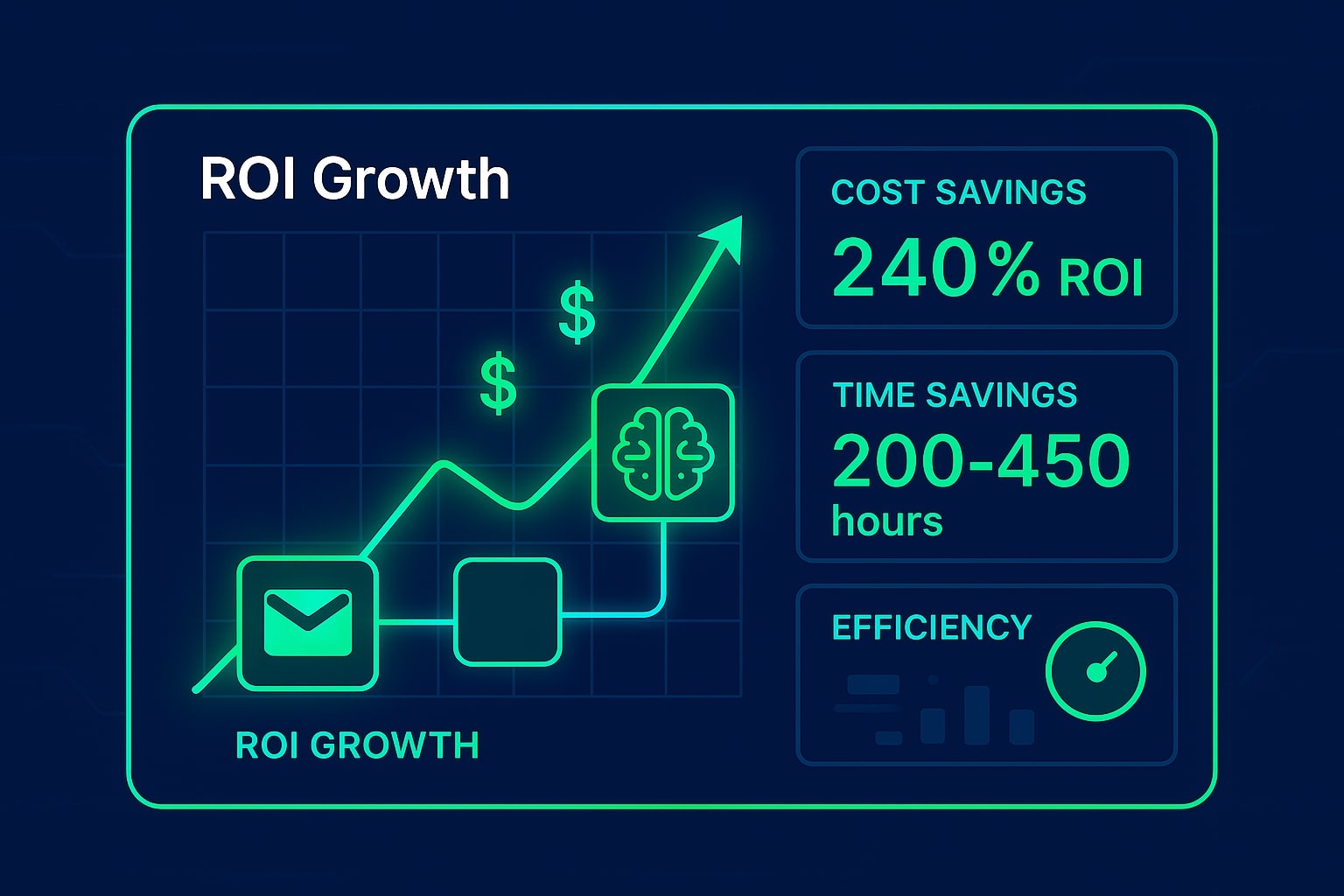
The financial transformation becomes evident quickly. Organizations implementing comprehensive automation report cost savings of up to 80%¹⁵, with some achieving 240% ROI within 6-9 months¹⁶. For a business previously spending $50,000 annually on virtual assistant services, this translates to potential savings of $40,000 or more in the first year alone.
Calculate your time savings by tracking task completion rates before and after implementation. Employees involved in high-volume, repetitive tasks typically save 200-450 hours per year¹⁷, time that can be redirected toward strategic initiatives that drive growth.
Operational Excellence Indicators
Monitor quality improvements through error reduction metrics. Automated systems eliminate human error in routine tasks, leading to consistency rates approaching 100%. This reliability improvement often reduces customer complaints, rework costs, and management overhead.
Track scalability benefits by measuring how easily you can handle increased workloads without proportional cost increases. Unlike human assistants who require linear scaling, agentic workflows can process thousands of concurrent tasks without additional licensing costs or management complexity.
Advanced Strategies for Maximum Impact
Horizontal Process Integration
Expand your automation footprint by connecting previously isolated workflows. Customer onboarding might integrate with inventory management, billing systems, and customer success platforms, creating seamless experiences that previously required coordination across multiple human assistants.
Predictive Workflow Enhancement
Implement predictive capabilities that anticipate needs before they arise. Seasonal demand patterns, customer behavior analytics, and market trend analysis can trigger preemptive workflows that position your business advantageously.
Compliance and Governance Automation
Use agentic workflows to maintain compliance with industry regulations automatically. Document retention, audit trail generation, and regulatory reporting become automated processes that reduce risk while eliminating manual oversight requirements.
The Strategic Advantage: Beyond Cost Savings
While the immediate appeal of replace virtual assistant with n8n automation strategies centers on cost reduction, the strategic advantages extend far beyond financial benefits.
Competitive Differentiation
Organizations implementing agentic workflows gain significant competitive advantages through faster response times, consistent quality, and 24/7 availability. While competitors struggle with human limitations, your automated systems continue processing tasks, responding to inquiries, and advancing projects around the clock.
Innovation Acceleration
By eliminating routine task bottlenecks, your human team members can focus on innovation, strategy, and customer relationship building. This shift from tactical to strategic work drives long-term business value that compounds over time.
Market Responsiveness
Agentic workflows enable rapid adaptation to market changes. New product launches, promotional campaigns, or crisis responses can be implemented and scaled immediately without the delays associated with hiring and training additional staff.
Your journey toward automation excellence doesn’t end with implementation—it evolves continuously. As your agentic AI workflows mature and demonstrate their value, you’ll discover new opportunities for optimization and expansion. The businesses thriving in 2025 and beyond are those that embrace this technological transformation early, building sustainable competitive advantages while their competitors remain constrained by traditional operational models. The question isn’t whether automation will reshape your industry, but whether you’ll lead that transformation or follow in its wake.
Ready to apply this to your business?
Let's Talk Strategy →