TL;DR: Gemini 2.5 Computer Use is a browser control model that sees screenshots and acts with clicks, typing, scrolls, and navigation, with safety gates.
- It exposes 13 predefined UI actions, supports custom functions, and runs in a loop you control, with Playwright or Browserbase as executors. [docs]
- Benchmarks show leading accuracy on Online Mind2Web and WebVoyager at lower latency for web tasks. [model card]
- Safety requires human confirmation for high-risk steps, and policy forbids bypassing those confirmations. [terms]
- No separate price line is published, plan token costs using Gemini 2.5 Pro or Flash family rates. [pricing]
- Best first uses include UI testing, internal dashboard flows, and assistive automations with approvals.
Margabagus.com – The promise of Gemini 2.5 Computer Use is simple, a model that reads your screen, reasons about what it sees, then clicks, types, scrolls, and submits forms with a level of control that earlier agents struggled to achieve. In public preview, Google says this specialized model, built on Gemini 2.5 Pro, leads on web and mobile control benchmarks at lower latency, and it is available through the Gemini API and Vertex AI today.[2] That means teams in product, testing, growth, and operations can begin moving routine browser tasks from humans to an agent loop that acts like a focused assistant rather than a black box.
This review cuts through the hype with exactly what matters to builders. You will find how the loop works, the set of supported UI actions it can call, what the safety system actually enforces, what it costs in practice, how it scored on Online Mind2Web and WebVoyager, and where it still falls short. All claims are traced to official docs, a model card, and independent evaluations so you can plan deployments with real numbers and real constraints, not wishful thinking.[1][2][3][5]
What Gemini 2.5 Computer Use is and why it matters
Gemini 2.5 Computer Use is a specialized computer control model exposed as the computer_use tool inside the Gemini API. It accepts your instruction, an on screen screenshot, and a short history of actions, then returns a function call representing the next UI action, for example click at a coordinate, type into a field, or navigate to a URL.[1][2] Under the hood it shares architecture and training lineage with Gemini 2.5 Pro, with additional post training to improve UI control.[3]
The practical significance is twofold. First, it removes the need for brittle CSS selectors or site specific APIs for a large class of tasks, the model sees the same pixels a person sees and acts accordingly. Second, teams can now standardize agent loops across growth automation, data entry, competitive research, and regression testing rather than stitching together ad hoc scripts that break on minor layout changes.
Google also notes the model is optimized for web browsers first, with promising but not fully optimized behavior on mobile, and no dedicated optimization for desktop operating system control at this time.[2][3] That scope clarity is important for planning real projects.
How Gemini 2.5 Computer Use works in practice
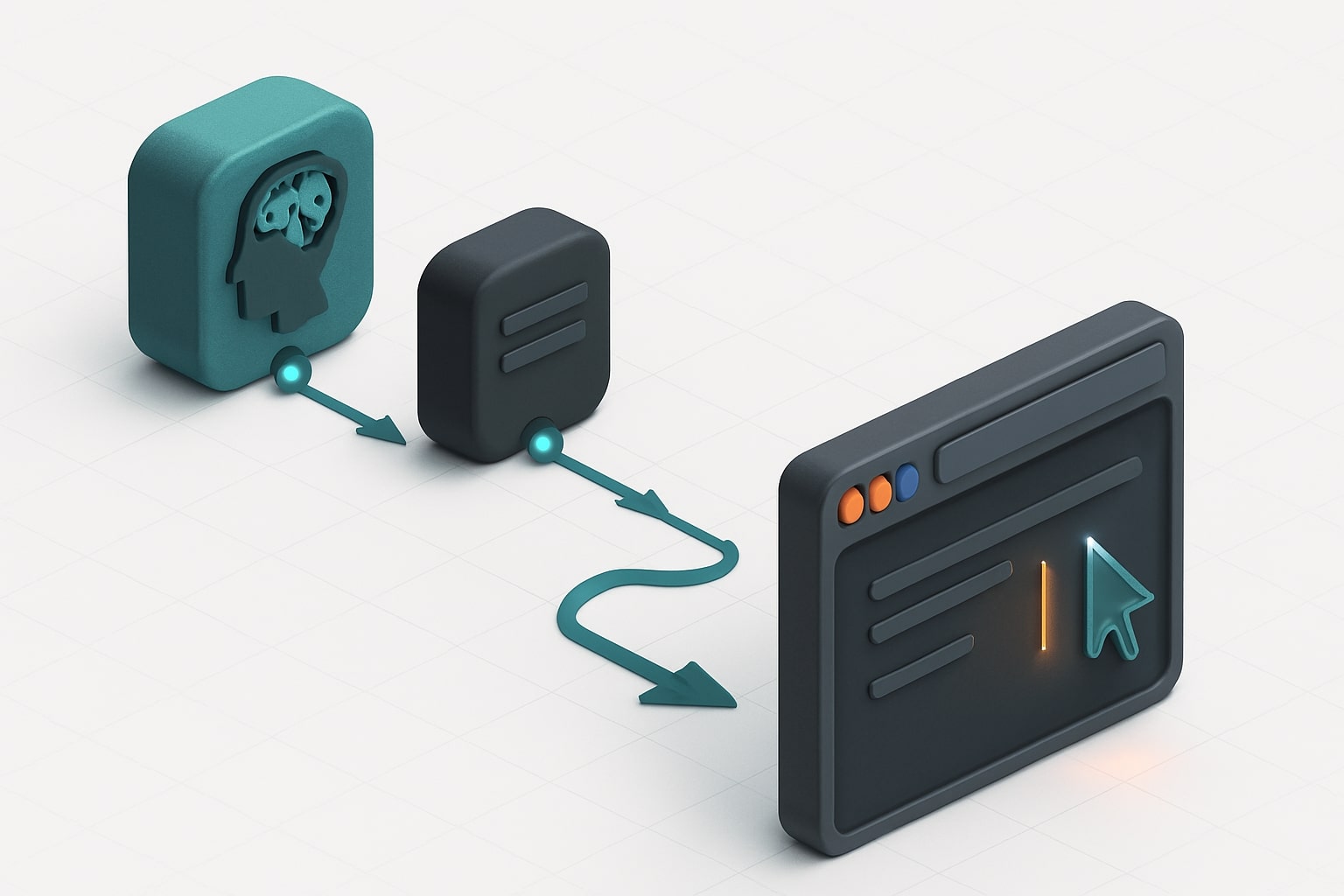
At the core is a loop. Your client captures a screenshot and current URL, sends the user instruction and recent history to the model, receives a FunctionCall, executes it in a browser environment, then returns a new screenshot as a FunctionResponse and repeats until the task ends or a safety rule stops the run.[1][2] The model supports parallel function calling, which lets it propose several atomic actions in one turn when safe to do so.[1]
Supported UI actions are predefined, and your client is responsible for actually carrying them out. The official list includes, among others, open_web_browser, search, navigate, click_at, type_text_at, hover_at, scroll_document, scroll_at, key_combination, drag_and_drop, plus utility actions such as go_back, go_forward, and wait_5_seconds. Coordinates are given on a 1000 by 1000 grid that your executor scales to the actual screen [1]. You may also exclude any predefined actions and provide custom user defined functions, for instance open_app or go_home when adapting for mobile, which the model can choose intelligently alongside built in actions.[1]
From a developer experience perspective, the reference implementation uses Playwright locally or Browserbase in the cloud to execute actions, capture new screenshots, and maintain a clean loop. Google publishes a quickstart repository that shows the loop, environment choice, and safety acknowledgements you must pass back when the safety service requests confirmation.[6][1]
Gemini 2.5 Computer Use performance and latency, what the numbers show
Performance claims without citations are noise, so let us anchor on official and third party numbers. Google reports, and Browserbase corroborates, that the gemini-2.5-computer-use-preview-10-2025 model leads competitive models on Online Mind2Web, WebVoyager, and AndroidWorld, with measured accuracy on Browserbase’s harness of 65.7 percent for Online Mind2Web and 79.9 percent for WebVoyager, along with strong AndroidWorld generalization at 69.7 percent, while operating at lower latency on Browserbase’s test setup [2][3][5]. The model card also restates scope, it is not yet optimized for operating system level control, and focuses on browser control quality first [3].
Check out this fascinating article: Google AI Mode Explained: How It Works, What Changes for SEO, and How to Show Up
Latency numbers vary with environment and site behavior. Browserbase highlights the benefit of running many sessions in parallel for evaluation, compressing many hours of browsing into minutes, and notes the speed to useful action was a differentiator in their tests compared with other providers under identical step and timeout limits [5]. For planning, treat latency as a function of the site you are automating, the number of steps permitted, and whether you use parallel calls for low risk action bundles.
Key takeaway, if your task fits the browser agent shape, Gemini 2.5 Computer Use currently delivers leading accuracy at competitive speed within a well defined safety envelope, based on public preview data and disclosed harness details.[2][3][5]

Gemini 2.5 Computer Use safety, confirmations, and policy requirements
Safety is not a footnote, it is built into both the model and the API. The safety service may attach a safety_decision to an action, for example when it detects a purchase step or a CAPTCHA. If the decision is require_confirmation, your app must ask the user and record a safety acknowledgement before executing. The Gemini API Additional Terms prohibit bypassing required human confirmation [1]. Google’s model card further explains risk categories and mitigations, including prompt injection on the web, unintended actions, and sensitive information handling, with evaluations conducted by internal safety teams and external partners. Knowledge cutoff for the underlying model is January 2025, which also matters for expectations about site knowledge and layout familiarity.[3]
For production, practical recommendations flow directly from the docs.
-
Implement a human in the loop gate for high impact actions like sending messages, submitting forms with payment or personal data, or file modifications.
-
Exclude actions you never want the agent to take in your domain, for example
drag_and_drop, and introduce custom functions with mandatory confirmation when you do need risky steps.[1] -
Log the entire trace of instructions, action calls, screenshots, and confirmations for review and audit.
Pricing for Gemini 2.5 Computer Use with the Gemini API
Google does not publish a separate price line tagged “Computer Use.” You pay for tokens consumed by the model you call through the Gemini API, with rates depending on the family and prompt size. The pricing page lists Gemini 2.5 Pro at 1.25 United States dollars per million input tokens for prompts up to two hundred thousand tokens and 10.00 per million output tokens for the same range, with higher rates for very large prompts. Gemini 2.5 Flash is significantly less expensive, at 0.30 per million input tokens and 2.50 per million output tokens for text or image, with Live API and context caching available at separate rates. Flash Lite is the most cost efficient option with 0.10 per million input tokens and 0.40 per million output tokens for text or image on the paid tier [4]. Enterprise customers on Vertex AI pay model usage plus any platform costs, and Google documents enterprise rate cards and options for provisioned throughput separately.[8]
What this means for Computer Use: your cost profile depends on which Computer Use model you select in preview and the tokens it consumes while planning and emitting actions. In early documentation and the model card, the current model identifier is gemini-2.5-computer-use-preview-10-2025 and is built on 2.5 Pro, so plan with Pro class token assumptions unless Google publishes a distinct price block for this specialized model.[1][2][3][4]
Price comparison, practical planning
| Model family | Typical use | Input price, per 1M tokens | Output price, per 1M tokens | Notes |
|---|---|---|---|---|
| Gemini 2.5 Pro | Complex reasoning, code, agent planning | $1.25 up to 200k tokens, then $2.50 | $10.00 up to 200k tokens, then $15.00 | Context caching available at extra cost, grounding billed separately [4] |
| Gemini 2.5 Flash | High volume agent loops with thinking budget | $0.30 text or image, $1.00 audio | $2.50 | Live API priced separately, strong cost to quality profile [4] |
| Gemini 2.5 Flash Lite | At scale, cost focused | $0.10 text or image, $0.30 audio | $0.40 | Cheapest general family on paid tier [4] |
| Computer Use Preview | Browser control specialized | No separate line item published | No separate line item published | Built on 2.5 Pro, assume Pro class token prices unless Google updates pricing [1][2][3][4] |
Cost tip, screenshots add tokens. Keep the viewport consistent and trim unnecessary pixels where possible to control token usage while preserving context.
Gemini 2.5 Computer Use setup, a guided quick test drive
Before you ship, you test. Google’s reference agent shows how to run an agent loop with Playwright locally or Browserbase remotely. You pass a user instruction like “search for the best budget OLED laptop and list three options,” the model returns action calls, your executor performs them in a controlled browser, then you send the new screenshot back into the loop. The actions and safety acknowledgement fields are explicit in the sample, which makes it easier to implement proper gates in your own stack.[6][1]
Why this matters for teams: the design encourages deterministic wrappers around inherently non deterministic steps. You can unit test your executor for each action type, mock screenshots during CI, and set a maximum step budget on a per workflow basis, which reduces runaway loops. Browserbase’s public work with Google also makes it easier to reproduce benchmarks and performance observations in your own environment.[5]
Gemini 2.5 Computer Use strengths and weaknesses
Every tool has edges, and calling them out helps you deploy safely.
Strengths
-
Web page control quality is currently best in class on public benchmarks under like for like harness constraints, with solid generalization to AndroidWorld tasks.[2][3][5]
-
Action vocabulary covers the primitives teams really need, with coordinate based actions that are simple to implement reliably, plus the ability to exclude risky actions and extend with custom functions.[1]
-
Safety envelope is explicit, with a per step safety service and required human confirmation for high risk actions, which simplifies policy compliance for regulated teams.[1][3]
-
Developer ergonomics are decent from day one, with official docs, a reference repo, and an external evaluation ecosystem you can learn from and reproduce.[1][6][5]
Weaknesses
-
No desktop operating system specialization yet, and mobile is promising but not the primary target, so do not expect OS window management or file system automation comparable to native RPA tools.[2][3]
-
Benchmark sensitivity to harness and site conditions means your own results can differ, so budgeting for observability and retry logic is essential.[5]
-
Token cost control needs attention, screenshots drive consumption, and long flows can become expensive without careful step budgeting and viewport strategy.[4]
-
CAPTCHA and gated flows still require human confirmation, by policy and by design, which is correct for safety, and a planning consideration for fully unattended flows.[1][3]
Where Gemini 2.5 Computer Use sits among alternatives
The category is moving quickly. Public reporting notes that Google’s Computer Use model operates in the browser rather than across the entire operating system, which contrasts with competitors that emphasize broader OS control. At the same time, early independent coverage and Browserbase’s numbers suggest accuracy and latency advantages on web tasks in the current preview generation, with demos available for hands on evaluation.[7][5][2] The practical reading, if your problem lives in the browser, Gemini’s current approach is a very strong baseline. If you require system level automation, evaluate separately.
Best Gemini 2.5 Computer Use use cases for tech and business readers
This audience cares about time to value, governance, and measurable uplift.
-
UI testing at scale, run regression sweeps across critical flows when CSS changes land, with the agent following written steps to click, type, and submit. The same loop can collect screenshots for diffs and report failures back to issue trackers.[2][6]
-
Workflow automation in growth and operations, log in to partner portals, export reports, reconcile values, and file updates in back office tools where no stable API exists.[2]
-
Research and data collection, navigate retail listings or knowledge bases that block scraping, use scroll and hover actions to expose elements, and export well structured summaries for analysts.[1]
-
Assistive flows with human approval, draft messages, set appointments, and pre fill forms, then request a one click confirmation for any irreversible step, which aligns with Google’s confirmation rules.[1][3]
Capability table, what the Gemini 2.5 Computer Use actions actually do
| Action name | What it does | Typical uses |
|---|---|---|
| open_web_browser | Starts a browser session | Cold starts or reset from error states [1] |
| search | Opens default search engine start page | Fresh discovery tasks [1] |
| navigate | Goes to a specific URL | Deep linking to targets or dashboards [1] |
| click_at | Clicks at coordinate on a 1000 by 1000 grid | Press buttons, select tabs, confirm dialogs [1] |
| type_text_at | Types at coordinate with optional enter and clear flags | Fill search bars, login fields, form inputs [1] |
| hover_at | Moves pointer to reveal menus or tooltips | Expose hidden elements or mega menus [1] |
| scroll_document | Scrolls the page in a direction | Read long pages, reach footers or headers [1] |
| scroll_at | Scrolls a specific element by magnitude and direction | Scroll inside modals or scrollable panes [1] |
| key_combination | Sends a keyboard combo such as Control plus C | Shortcuts, submit, select all, copy paste [1] |
| go_back, go_forward | Navigate browser history | Undo accidental navigation or step through flows [1] |
| wait_5_seconds | Sleep to allow dynamic content to load | Stabilize content before next action [1] |
| drag_and_drop | Drags from source coordinate to destination | Reorder boards or move items between lists [1] |
Pricing comparison table for Gemini 2.5 Computer Use planning
| Option | Token pricing, input | Token pricing, output | Live API and extras | Planning note |
|---|---|---|---|---|
| Gemini 2.5 Pro | from $1.25 per million up to 200k tokens | from $10.00 per million up to 200k tokens | Context caching extra, grounding billed per request after free tier | Use when you need heavy planning and complex forms [4] |
| Gemini 2.5 Flash | $0.30 per million input for text or image | $2.50 per million output | Live API has separate rates, caching available | Consider for high volume flows with simpler planning [4] |
| Gemini 2.5 Flash Lite | $0.10 per million input for text or image | $0.40 per million output | Cheapest option, fewer advanced features | For simple repetitive automations at scale [4] |
| Computer Use Preview | No separate line item published | No separate line item published | Built on 2.5 Pro specialization | Assume Pro class until Google publishes a dedicated line [1][2][3][4] |
Buying advice, how to decide on Gemini 2.5 Computer Use for your stack
If your automation lives inside the browser, Gemini 2.5 Computer Use deserves a top slot in your evaluation plan. Treat 2.5 Pro as the baseline if the preview model remains Pro based, and cap step counts to control tokens. If you need aggressive scale and can tolerate a slight quality trade off, prototype the same loop with 2.5 Flash and measure the end to end cost per completed task. For teams with regulatory or brand risk, build the confirmation gate first, log traces, and implement an allowlist of permitted domains.
The remaining open question is whether Google will publish a distinct price line for the specialized Computer Use model as preview matures. The absence of a separate line today is not a blocker, but it matters for long term unit economics. Watch the official pricing page for updates, and maintain feature flags to switch model families quickly if needed.[4]
Your move, what we would deploy first
Start with UI testing and internal dashboard flows. These are valuable, measurable, and low risk. Adopt the official loop, wire in safety acknowledgement, and add status webhooks so humans can approve irreversible actions from Slack or email. After two to three successful internal deployments, expand to growth research automation, where the ability to navigate real sites and handle popups pays off.
Got thoughts or questions about Gemini 2.5 Computer Use
Tell us what you want to automate, or drop your test results, and let us know where the loop struggled. Your hands on notes will help other readers.
References
- Google AI Dev — Computer Use docs
- Google DeepMind — Introducing the Gemini 2.5 Computer Use model
- Gemini 2.5 Computer Use — Model Card (Oct 7, 2025)
- Google AI Dev — Gemini API pricing
- Browserbase — Evaluating Browser Agents with Google DeepMind
- GitHub — google/computer-use-preview reference implementation
- The Verge — Google’s model uses a web browser like you do
- Google Cloud — Vertex AI generative AI pricing
Ready to apply this to your business?
Let's Talk Strategy →