Udio pricing 2026 is best understood through credits, plan limits, and commercial use permissions, not price alone.
- The Free plan gives 10 daily credits plus a 100 monthly credit limit, but it is better for testing than commercial publishing.
- Standard offers up to 2,400 credits per month, while Pro offers up to 6,000 credits per month.
- Free and subscription credits do not roll over, while purchased add on credits do not expire.
- Udio has disabled downloads of audio, video, and stems during its post UMG transition period.
- Before using Udio music commercially, check the live Terms of Service, plan status, export rules, and rights for your inputs.
Udio pricing 2026 is no longer just a simple question of whether the AI music generator is free or paid. The real decision now sits between credit math, daily limits, subscription features, export restrictions, and a changing rights landscape after Udio’s licensing moves with major music companies. For creators, YouTubers, indie musicians, agencies, and marketers, the small print matters because a $0 experiment can become a legal and workflow headache if the track is later used in a paid campaign, client project, or monetized channel without checking the official limits first. [1]
Udio Pricing 2026 at a Glance
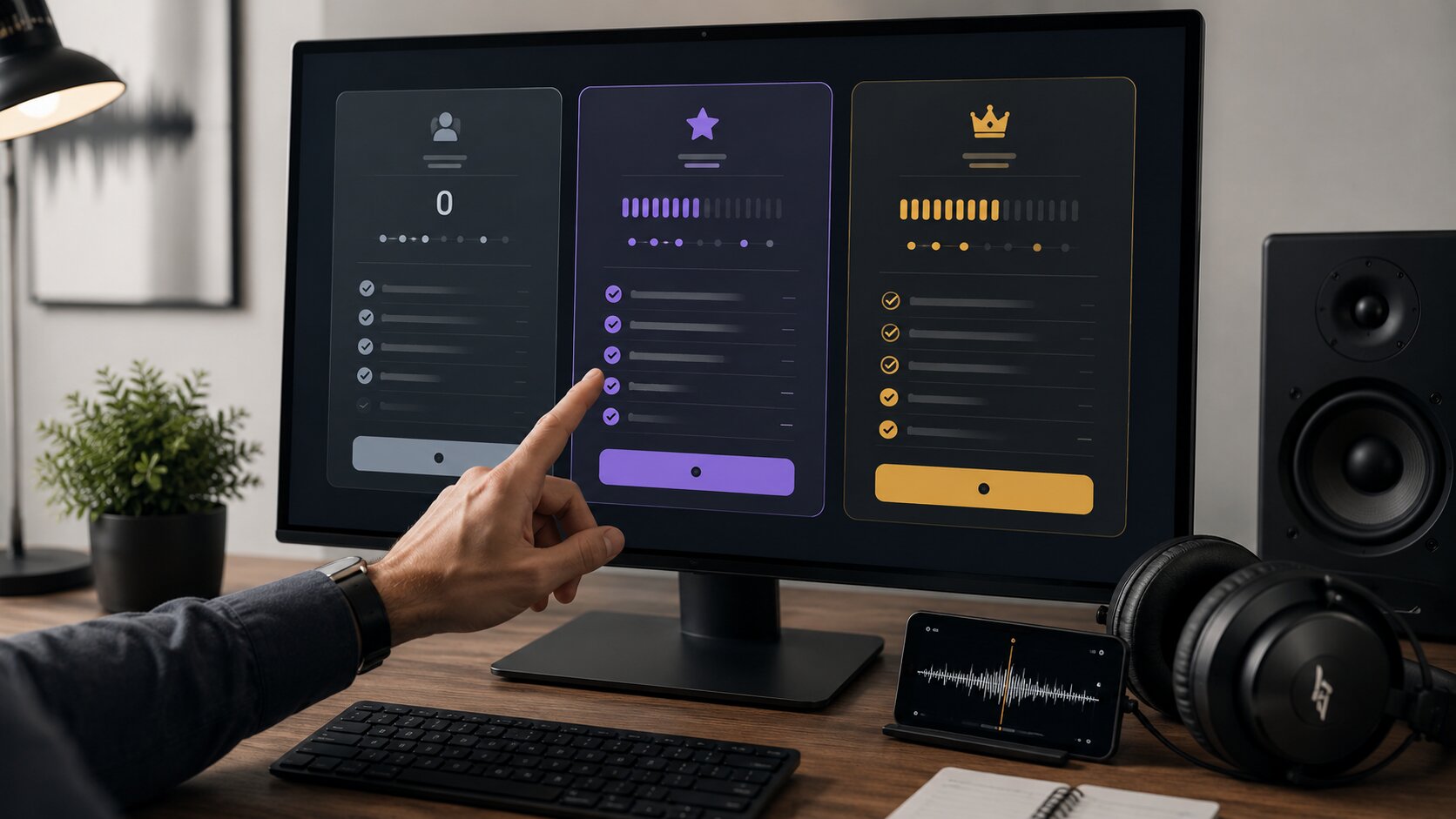
The fastest way to understand Udio pricing plans 2026 is to separate three things, price, credits, and permission. Credits tell you how much you can generate, but permission tells you what you can safely do with the result. That difference is easy to miss, especially because AI music tools often feel like creative toys until someone wants to upload the output to Spotify, YouTube, a podcast intro, or an ad campaign.
| Plan or purchase option | Officially listed price or limit | Credits and usage notes | Best for | Important caution |
|---|---|---|---|---|
| Free plan | $0 | 10 daily credits, with an additional 100 monthly credit limit after daily credits are exhausted | Testing Udio, learning prompts, exploring styles | Treat it as a testing lane, not a commercial release workflow |
| Standard monthly | $10 per month in U.S. examples | Up to 2,400 credits per month | Regular creators who need more room for iteration | Credits reset monthly and do not roll over |
| Pro monthly | $30 per month in U.S. examples | Up to 6,000 credits per month | Heavy creators, teams, and frequent testers | More credits do not automatically solve commercial permission questions |
| Add on credits | App Store listing shows 100 credits for $3 and 1,000 credits for $25 | Purchased add on credits do not expire | Overflow generation when monthly limits run out | Add ons help volume, not rights clearance |
| Trial | Up to 7 days for a subset of Standard features | Trial users keep free tier credit limits unless they convert to a full subscription | Testing Standard features before paying | Trial does not unlock higher credit limits by itself |
What Udio Pricing 2026 Really Means for Creators
Udio AI music pricing looks simple from the outside, but the actual cost depends on how you create. A creator who writes one prompt and accepts the first result will spend very little, while a producer who tests multiple genres, vocal tones, lyrics, and song structures can burn through credits quickly. This is why the most useful way to read Udio subscription plans is not only by monthly price, but by how many serious ideas you can develop before you hit friction.
Udio’s Help Center says every time you click Create, Extend, Remix, Inpaint, or Edit, the system creates two new songs. A set of two 32 second songs costs two credits, meaning one credit per song. A set of two 130 second songs costs four credits, meaning two credits per song. [2]
That sounds generous on paper, but real creative work is rarely one shot. A usable song may need several rounds of prompting, a few bad takes, a stronger chorus, a cleaner lyric pass, and maybe a different vocal feel. In that situation, the practical question is not “How many songs can I generate?” but “How many useful drafts can I afford to explore?”
The hidden cost is iteration, not the first generation
Most creators underestimate iteration. The first Udio output may give you a hook, a mood, or a surprising vocal phrase, but polished content usually needs several attempts. A brand intro, YouTube theme, podcast bumper, or short music idea can become expensive in credits when you start testing multiple versions.
The Free plan gives enough room to understand the tool, but not enough room for comfortable production. Standard is the more realistic baseline if Udio becomes part of your weekly content workflow. Pro is more sensible when the workflow includes bulk experimentation, team review, or several projects at once.
Why credit math should be read with daily limits
The Udio pricing free plan official structure includes 10 daily credits and a 100 monthly credit limit. Udio also says free accounts can only create three 130 second songs per day, regardless of available credits. That means free credits are not just a monthly pool, they also come with daily guardrails. [2]
This matters for creators who work in bursts. If you like to create ten song ideas in one evening, the Free plan will feel tight. If you create slowly and only need a few test clips, the Free plan can still be useful.
Udio Free Plan 2026, Useful for Testing, Risky for Publishing
Udio free plan 2026 is best understood as a learning environment. It lets you test how Udio interprets prompts, how different genres behave, and whether the sound quality fits your creative taste. It is not the plan I would rely on for a paid client campaign, a music library release, or a monetized brand asset without reading the current Udio Terms of Service and checking what the platform actually allows at the moment of export or sharing. [12]
The free plan credits are generous enough for curiosity. With 10 daily credits and a 100 monthly backup limit, you can learn the difference between a vague prompt and a production ready direction. You can test lyric styles, moods, instrumentation, and structures without paying upfront.
The limit appears when you need consistency. Free credits do not roll over, so unused allowance disappears when the cycle resets. Udio’s Help Center also makes clear that subscription credits do not roll over either, while purchased add on credits are the exception because they never expire. [3]
What the Udio free plan credits actually support
The free plan is good for quick sketches. It is suitable for testing whether Udio understands your creative direction, exploring genre combinations, and learning how much control your prompt can really provide. It is also useful for comparing Udio with other AI music tools before paying.
It is less suitable for deadline work. If you need a soundtrack for a client video by tomorrow, free limits may block your momentum. If you need rights certainty, the free plan should not be treated as a shortcut.
Free plan commercial use needs extra caution
The phrase Udio free plan commercial use is one of the most important searches around this topic, and for good reason. Pricing pages and credit pages do not always answer the full legal question. Commercial use rights depend on Udio’s live Terms of Service, account status, transition rules, download availability, and the specific way you intend to use the output.
For a practical creator checklist, do not publish free plan output commercially unless the current official terms and the in platform workflow clearly allow your use case. This is especially important for YouTube monetization, ads, client deliverables, music distribution, stock libraries, and paid social campaigns. When money, brand reputation, or client rights are involved, “I had credits” is not the same thing as “I had permission.”
Udio Standard and Pro Credits, Where the Paid Plans Start to Make Sense
Udio standard pro credits official numbers are the clearest part of the current pricing story. Udio’s Help Center states that Standard subscribers can use up to 2,400 credits per month, while Pro subscribers can use up to 6,000 credits per month. Those limits reflect the post partnership increase announced after Udio entered its transition period with Universal Music Group. [2] [4]
Standard is the plan most regular creators should examine first. It gives much more breathing room than the free plan, especially for people who generate ideas weekly. The jump from 100 monthly free credits to 2,400 monthly Standard credits changes Udio from a toy box into a real drafting system.
Pro is more about volume and workflow headroom. Udio’s UMG transition note says Pro subscribers can create 5 sets of songs, or 10 songs, at the same time. That makes Pro more attractive for creators who test multiple versions in parallel, not just people who want a bigger monthly number. [4]
Standard plan, the practical baseline
Standard is the sensible middle ground for solo creators. It gives enough credits to explore several song ideas, refine prompts, and run creative tests without constantly worrying about the daily cap. It is especially relevant for YouTubers, indie artists, marketers, and creative freelancers who use AI music as an ideation tool.
At $10 per month in U.S. examples, the plan looks inexpensive if you use the full credit pool. The effective cost per credit is much lower than buying small add on credit packs. Still, the real value depends on whether you can actually use the outputs in the way your project requires.
Pro plan, better for heavy ideation and teams
Pro makes sense when you work across multiple projects or need faster parallel exploration. A music focused creator may use Pro to test many hooks, lyric directions, arrangements, and vocal textures. A small agency may use it to build creative references before commissioning final licensed music or producing a custom score.
The Pro plan should not be viewed as a magic commercial license by itself. It gives more generation capacity, and the app listing mentions early access to new features and models for Pro. However, the final question for commercial use still points back to Udio’s Terms of Service, current transition rules, and available export or sharing options. [9] [12]
Udio Official Limits After the UMG and Warner Transition
The biggest shift in Udio official 2026 is not only pricing, it is the platform’s transition into a more licensed and controlled AI music environment. On October 29, 2025, Udio announced a partnership with Universal Music Group, and Andrew Sanchez, CEO of Udio, said the company would work with UMG artists, songwriters, and catalog while giving artists control over how AI is used to make music. [5]
That announcement matters because it changes how creators should think about Udio. The old mental model was simple, generate a song and download it. The newer model is more controlled, more permission based, and more connected to rightsholders.
Udio’s Help Center states that downloads of audio, video, and stems have been disabled as part of the UMG related changes. Udio’s own blog also says downloads from the platform became unavailable during the transition period. This is a major workflow detail for anyone planning to use Udio music outside the platform. [4] [5]
The download restriction is a workflow limit and a rights signal
A disabled download button is not just a product inconvenience. It tells creators that Udio is managing how generated works can leave the platform during the transition. For a commercial creator, that is a bright red checkpoint.
If your workflow requires delivering a WAV file, uploading a track to a distributor, placing music under a video ad, or handing files to a client, you need to verify whether Udio currently permits that path. Sharing a Udio URL is different from delivering a downloadable commercial asset. Udio’s Warner Music Group announcement says users can still share Udio songs through Udio URLs, which anyone can access, but that is not the same as unrestricted external file usage. [6]
Why UMG and Warner deals matter for pricing
Udio’s UMG and Warner announcements point toward a more licensed product future. UMG said the agreement included settlement of copyright litigation and new license agreements for recorded music and publishing, with a new platform planned for 2026. Udio’s Warner announcement also says the company entered licensing arrangements to train new models based on Warner data and work with artists. [10] [6]
This has a direct pricing implication. The long term value of Udio may depend less on raw credits and more on what users can legally create, remix, share, or commercialize inside a licensed environment. In plain English, credits buy attempts, but licensing determines what those attempts can become.
Udio Commercial Use Rights, What Creators Should Check Before Publishing

Udio pricing commercial use official questions should always begin with the current Terms of Service. The pricing page may show plan names and credit numbers, but legal permission usually lives in the terms, account flow, and product restrictions. This is especially true in AI music, where output rights, artist likeness, sound recording rights, lyric rights, and platform export rules can overlap.
The history also matters. In June 2024, the RIAA announced copyright infringement cases against Suno and Udio, alleging that copyrighted sound recordings were copied and exploited without permission. That legal pressure became part of the larger shift toward licensed AI music products. [11]
For creators, the safest position is practical rather than dramatic. Do not assume every AI generated song is commercially clean just because it sounds original. Also, do not assume every paid plan grants every commercial right you might want.
A practical commercial use checklist
Before using Udio output in a commercial project, check five things. First, confirm your current plan and whether the output was created under that plan. Second, read the current Terms of Service, not an old blog summary. Third, confirm whether the platform allows the export, download, distribution, or sharing method you need. Fourth, make sure your own inputs, lyrics, vocals, references, uploaded audio, and prompts do not violate someone else’s rights. Fifth, document the date, account status, and terms you relied on.
This is not legal advice, but it is good creator hygiene. It also protects you when a client later asks where the music came from. A simple record of plan, date, prompt notes, source material, and permission check can save a lot of awkward emails.
Free plan commercial use is the wrong shortcut
The phrase Udio terms commercial use free plan deserves a cautious answer. The free plan is useful for learning, but it should not be your default commercial workflow. If you are building content for revenue, sponsorships, ads, apps, games, podcasts, or client work, you need clearer permission than “the tool let me generate it.”
Paid access may provide more capabilities, but even paid access does not remove every rights question. The current transition period makes this especially important because downloads are disabled and Udio is moving toward artist permission based experiences. In 2026, the smart creator does not only ask “Can I make this?” but also “Can I use this outside Udio, and in exactly this business context?”
Is Udio Worth Paying for in 2026?
Udio paid plans can be worth it if you use Udio as an idea engine, songwriting partner, mood board builder, or rapid music sketching tool. The value is strongest when you need many drafts quickly and you understand that not every draft becomes a release ready asset. For creators who treat Udio as a creative lab, Standard is often the most rational first upgrade.
The value is weaker if your main goal is simple commercial music delivery. If you need downloadable files, client ownership clarity, distribution rights, or ad safe licensing, Udio’s current transition restrictions may make the workflow less direct. In that case, Udio may still help with ideation, but final production may require licensed stock music, commissioned musicians, or a different rights cleared workflow.
The biggest mistake is comparing Udio only by monthly price. Compared with hiring musicians, $10 or $30 looks tiny. Compared with a tool that cannot currently deliver the exact legal or export workflow you need, even a cheap plan may be the wrong purchase.
Who should stay on the Free plan
Stay on Free if you are still learning prompt structure. Stay on Free if you only want to test Udio’s sound. Stay on Free if you are not ready to publish, monetize, deliver, or distribute anything.
The Free plan is also a good benchmark against competitors. You can test whether Udio fits your taste before paying. Just keep the output in the experimental lane unless the live terms clearly say otherwise.
Who should choose Standard
Choose Standard if you generate music regularly and want fewer creative interruptions. It is the most sensible plan for solo creators who need enough credits to test lyrics, hooks, styles, and edits. It also makes sense for creators who want to evaluate Udio seriously before moving to Pro.
Standard is not just about more credits. It is about reducing friction. If you already know you enjoy the tool and use it weekly, Standard is the cleanest starting point.
Who should choose Pro
Choose Pro if Udio is part of a high volume creative process. Pro is better for teams, heavy prompt testers, music first creators, and users who need more simultaneous generation capacity. It may also be useful for creators who constantly explore new features.
Pro is not necessary for casual users. If you only make a few test tracks per month, Pro is overkill. If you need commercial certainty, Pro still requires terms checking before publication.
The Smarter Way to Read Udio AI Music Pricing

Udio AI music pricing in 2026 is best read as a layered decision, not a simple plan comparison. The first layer is credits, how much you can generate. The second layer is workflow, whether you can create fast enough for your needs. The third layer is permission, whether you can use the result in the context that matters to you.
For casual creators, Udio’s free plan is a strong place to begin. For consistent creators, Standard gives the best balance between price and creative room. For high volume users, Pro gives more headroom, but only makes sense when you truly need the scale.
The final takeaway is simple, Udio pricing 2026 is attractive if you treat it as a creative engine, but the official limits deserve respect. Before using Udio output commercially, check the live Terms of Service, confirm your plan, understand download restrictions, and keep proof of your rights review. If you have tested Udio this year, share your experience in the comments, especially whether the Free, Standard, or Pro plan gave you enough room for your actual workflow.
References
- Udio — Pricing
- Udio Help Center — Credits and credit limits
- Udio Help Center — Do credits roll over?
- Udio Help Center — Changes associated with the Universal Music Group partnership
- Udio — A New Era of Music with Universal Music Group
- Udio — Udio with Warner Music Group
- Udio Help Center — The subscription trial
- Udio Help Center — Changing or canceling your subscription
- Apple App Store — Udio: AI Music Maker & Studio
- Universal Music Group — UMG and Udio announce strategic agreements
- RIAA — Record Companies Bring Landmark Cases for Responsible AI
- Udio — Terms of Service
Frequently Asked Questions
Ready to apply this to your business?
Let's Talk Strategy →