
Table of Contents
- What ChatGPT Thinking vs Instant Actually Means in 2025
- Instant mode in a nutshell
- Thinking mode in a nutshell
- Under the Hood, How Instant and Thinking Handle Reasoning
- Adaptive computation and thinking time
- Context windows and memory
- Speed, Cost, and Limits, The Trade Off You Really Feel
- Latency and interaction flow
- Token costs, usage caps, and capacity
- ChatGPT Thinking vs Instant at a Glance
- When to Choose ChatGPT Instant for Your Workflow
- When to Choose ChatGPT Thinking and Let It Slow Down
- Practical Workflows That Combine Thinking and Instant
- Exploration in Instant, decision in Thinking
- Instant for drafts, Thinking for QA and stress testing
- How to Actually Control Thinking vs Instant in ChatGPT
- Model picker and Auto mode
- Thinking duration controls
- Common Misconceptions About ChatGPT Thinking vs Instant
- “Thinking is always better than Instant”
- “Instant cannot handle reasoning at all”
- “Auto makes the choice irrelevant”
- Bringing ChatGPT Thinking vs Instant into Your Daily Stack
- My Ratings for ChatGPT Thinking vs Instant
- ChatGPT Thinking mode
- ChatGPT Instant mode
ChatGPT Thinking vs Instant is no longer a geeky toggle in the corner of the screen, it quietly shapes how more than hundreds of millions of people now write, research, and make decisions with AI every week. OpenAI’s own data shows ChatGPT has crossed roughly 800 million weekly active users and processes around 2.5 billion prompts every single day, about twenty nine thousand per second, a scale that turns small choices about models into real productivity gains or losses for teams and businesses.[7][9] In 2025 OpenAI doubled down on that choice with GPT-5.1 and GPT-5.2, each shipping in multiple variants including Instant and Thinking, so understanding when to reach for speed and when to ask the model to think deeply has become a practical skill, not just a technical curiosity.[1][3]
This article breaks down how ChatGPT Thinking vs Instant actually work, what changes under the hood when you toggle them, how pricing and limits differ, and concrete workflows that show when to choose each mode. The focus is not only feature comparison but also the real impact on your writing, analysis, coding, and decision making. The goal is simple, by the end, you know exactly when Instant is enough, when Thinking is worth the extra seconds and tokens, and how to combine both without overcomplicating your day.
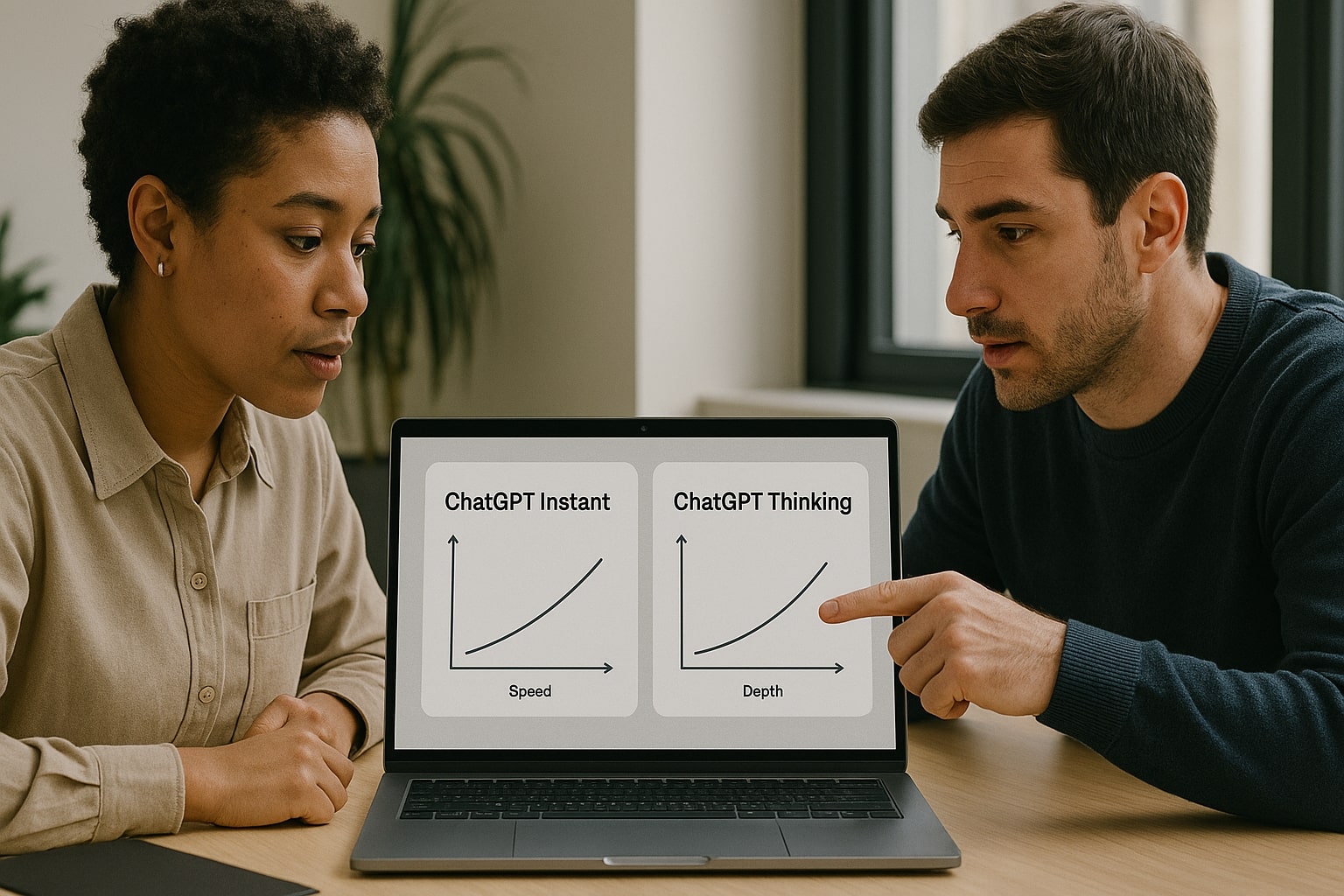
Instant and Thinking are two faces of the same GPT model family, tuned for speed and depth.
What ChatGPT Thinking vs Instant Actually Means in 2025
OpenAI now ships its flagship GPT-5.1 and GPT-5.2 models in several flavors. In ChatGPT you typically see them exposed as Instant, Thinking, and Pro, plus an Auto setting that picks for you.[1][3][12] OpenAI describes GPT-5.1 Instant as the everyday chat mode that feels warmer and more conversational, while GPT-5.1 Thinking is positioned as an advanced reasoning variant that spends more time on complex tasks and adapts its thinking time more precisely to each question.[1][2]
With GPT-5.2 OpenAI continues this pattern, releasing GPT-5.2 Instant and GPT-5.2 Thinking as part of the new model family. The company highlights broad gains in general intelligence, long context understanding, and end to end task execution, with both Instant and Thinking improving on earlier GPT-5.1 benchmarks, including safety metrics for sensitive topics.[3][4]
In simple terms, Instant is the mode you use when you care more about response speed and smooth back and forth, while Thinking is the mode you rely on when the answer cannot afford to be shallow. Underneath that slogan, however, there are real technical and economic differences that matter for writers, analysts, engineers, and founders.
If you want to see how GPT-5.2 and other AI launches fit into the bigger picture – from social feeds and ads to regulation – read my companion briefing:
AI News Today Recency 3 Days (Dec 2025): The Briefing You Can Actually Act On This Week.
Instant mode in a nutshell
GPT-5.1 Instant was introduced as the primary chat workhorse, tuned for lower latency, friendlier tone, and better instruction following compared with previous generations.[1][10]
A few key characteristics stand out:
- It is optimized for fast turn taking in chat, which makes ideation, drafting, and casual Q and A feel snappy.
- It includes adaptive reasoning, meaning it can choose to think a bit longer on harder questions while keeping light tasks very fast.[1][2]
- It runs with a smaller context window than Thinking, which is usually enough for messages, short documents, and moderate projects, but not for entire code bases or multi document legal packs.[5][14]
You can think of Instant as a high energy assistant sitting beside you, always ready with a quick draft, an example, or a short explanation.
Thinking mode in a nutshell
Thinking is built as a reasoning first version of the same model family. OpenAI’s system card addendum notes that GPT-5.1 Thinking adjusts thinking time more precisely per question and aims at tasks that require multi step reasoning and clearly structured explanations.[2][6]
Important traits include:
- A much larger context window than Instant, up to one hundred ninety six thousand tokens on supported plans, enough for many full length reports, code repositories, or research packs in one shot.[5][14]
- More persistent reasoning on difficult tasks, which often translates into longer, denser answers that expose intermediate assumptions or steps.
- Access to thinking duration controls in ChatGPT, such as Standard and Extended, that let you decide whether the model should answer quickly or spend extra compute for deeper reasoning.[11]
In practice, Thinking feels less like a chat buddy and more like a patient consultant, the kind you call in when a decision has a price tag on it.
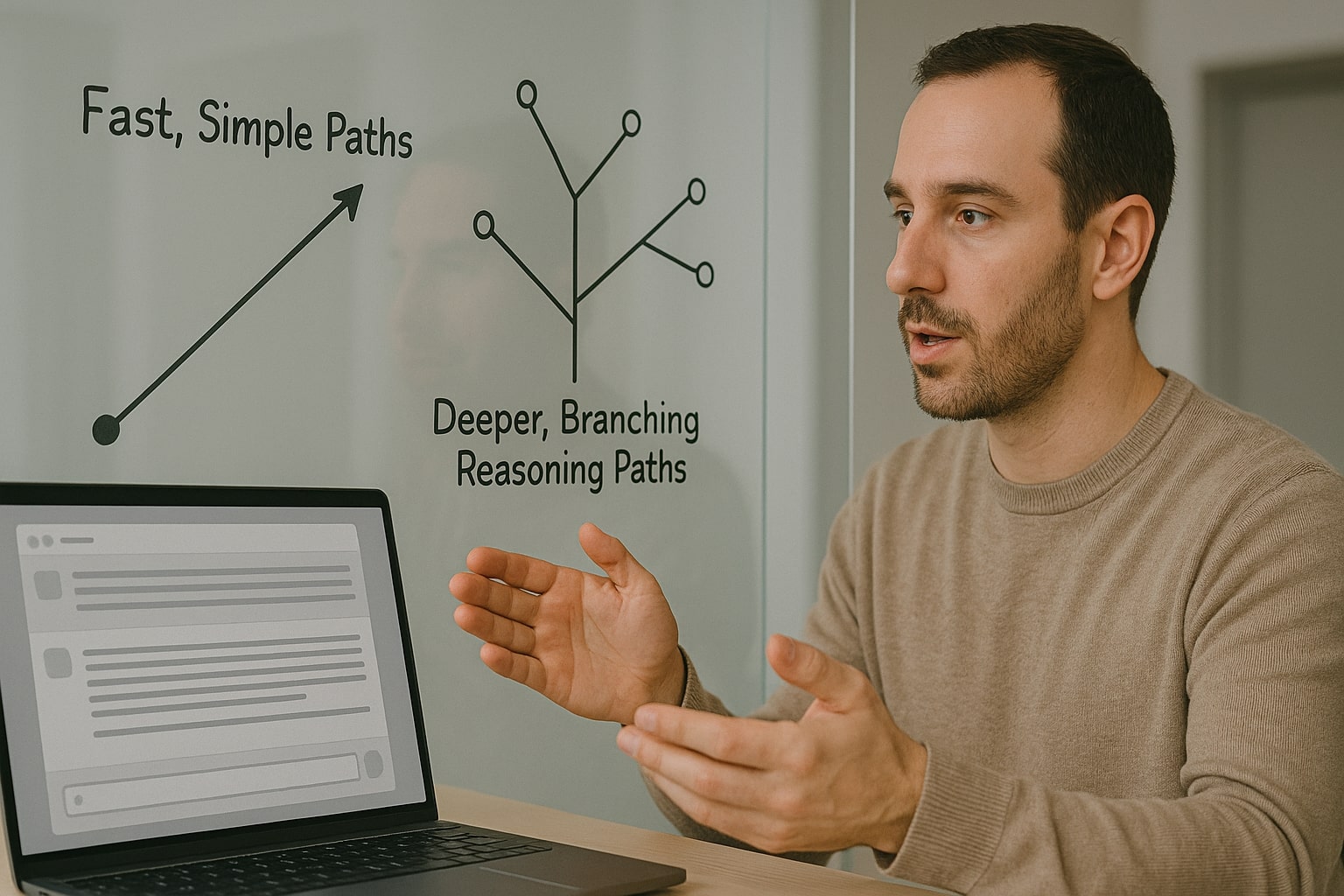
Thinking mode allocates more internal reasoning steps, trading speed for depth.
Under the Hood, How Instant and Thinking Handle Reasoning
OpenAI’s public documentation on reasoning models explains an important reality, larger reasoning oriented models are slower and more expensive per token, but they outperform smaller ones on complex, multi domain tasks.[6]
Instant and Thinking sit on different points along that curve.
Adaptive computation and thinking time
With GPT-5.1 and GPT-5.2 OpenAI moved from a simple split between chat models and reasoning models to a spectrum. GPT-5.1 Instant uses adaptive reasoning, which means it can decide to think slightly longer on harder prompts, but still aims to respond quickly most of the time.[1][2]
Thinking takes this further. It is allowed to spend more steps internally before replying and, in ChatGPT, you can even tune that behaviour yourself. Tech reporters who tested the early rollout describe a small dropdown under the prompt box for Thinking, where you can pick Light, Standard, Extended, or Heavy, with Extended and Heavy giving noticeably slower but more exhaustive answers.[11]
The important takeaway, the difference between Instant and Thinking is not only model architecture. It is also about how much time and compute the system is willing to invest before producing a sentence on your screen.
Check out this fascinating article: Claude Opus 4.1 vs GPT-5 in 2025: Reasoning, Speed, and Cost, The Winner Builders and Marketers Actually Feel
Context windows and memory
On top of thinking time, OpenAI also gives these modes different context limits. Public help documentation for ChatGPT Business states that Instant typically has a thirty two thousand token context window, while Thinking and Pro share a much larger one at one hundred ninety six thousand tokens.[5][14]
This shapes the kind of work you can do:
- Instant is comfortable with medium sized prompts, a few articles, a detailed email thread, or a short code file.
- Thinking can keep entire project briefs, multi chapter reports, or a mix of contracts and documentation in working memory.
If your main question depends on information scattered across dozens of pages, Thinking starts with a structural advantage, simply because it can see more at once.

Latency, token cost, and limits make the Instant versus Thinking choice a budget decision too.
Speed, Cost, and Limits, The Trade Off You Really Feel
Beyond the marketing language, there are three levers you notice as a user or team owner, latency, cost, and usage limits.
OpenAI’s pricing tables show that GPT-5.2 is more expensive per token than GPT-5.1 and earlier models, and that Pro variants are significantly pricier again.[3][8] Reasoning heavy use cases therefore benefit from Thinking’s quality but will also feel the cost more intensely if you push huge volumes.
Latency and interaction flow
Instant:
- Designed for low latency and rapid back and forth.
- Feels close to real time for most short prompts.
- Encourages experimentation, you can ask three variations in the time it takes Thinking to finish one heavy response.
Thinking:
- Accepts more latency in exchange for depth.
- Becomes noticeably slower as you raise thinking duration or paste long documents.
- Works better in fewer, more deliberate turns, for example one long analysis plus a follow up rather than ten tiny questions.
For solo creators, this is mostly about comfort. For teams with shared Pro accounts, it can turn into a budget decision, since longer reasoning sequences burn more output tokens per answer.
Token costs, usage caps, and capacity
OpenAI avoids publishing a single set of message caps that applies forever, but external breakdowns and help center articles indicate a clear pattern, Instant typically allows more frequent requests and is the default in most plans, while Thinking has stricter limits, especially on lower tiers, and becomes more generous on Business and Enterprise.[5][10]
The practical implication for a working day:
- Use Instant for anything you are going to discard or heavily rewrite.
- Reserve Thinking for prompts with real downstream cost, decisions, or public visibility.

A simple comparison table helps teams decide when to prioritise speed or depth.
ChatGPT Thinking vs Instant at a Glance
The table below summarises the key differences in a compact view.
| Aspect | Instant mode | Thinking mode | Use this when |
|---|---|---|---|
| Primary goal | Fast, conversational answers for everyday tasks | Deep reasoning and structured analysis for complex or high risk tasks | You need quick, useful answers rather than deep analysis |
| Typical latency | Very quick on short and medium prompts | Slower on complex prompts, adjustable via thinking duration controls | You care more about speed or you are okay waiting for a more thorough reply |
| Context window | Around 32k tokens on many paid plans | Up to 196k tokens on supported plans | Your input is short–medium vs long reports, many docs, or large code bases |
| Reasoning style | Light adaptive reasoning, thinks a bit longer only when needed | Extended reasoning, willing to chain more steps before answering | The task is simple vs needs step-by-step structured reasoning |
| Best content types | Emails, captions, chat replies, short summaries, simple code edits | Long reports, strategy memos, multi document synthesis, intricate code review | You are drafting and exploring vs finalising analysis or decisions |
| Cost profile | Cheaper overall, fewer tokens per message | More tokens per answer, higher cost per million tokens | You run high-volume light tasks vs fewer but higher-stakes, high-value tasks |
| Ideal users | Social and content teams, support staff, general knowledge work | Analysts, engineers, founders, legal and finance professionals | Day-to-day general use vs professional, decision-heavy or technical work |

Instant mode is perfect for fast drafts, captions, and everyday writing.
When to Choose ChatGPT Instant for Your Workflow
OpenAI frames Instant as the default chat experience, meant to be the first stop for most people in ChatGPT.[1] That matches how users behave in large usage studies, the majority of prompts are short, conversational, and focused on practical advice or light writing support.[7]
In real work, Instant shines when:
- The question is well scoped and does not require deep multi step reasoning.
- You care more about getting three options quickly than about a single exhaustive answer.
- You plan to heavily edit the output anyway, for example marketing copy or social content.
Typical use cases include:
- Drafting emails, memo outlines, slide bullets, or social captions.
- Generating quick examples, analogies, or prompts for other tools.
- Cleaning up grammar, tone, or structure in texts you already wrote.
- Converting notes into checklists or short procedures.
- Rapid brainstorming for naming, headlines, or angle variations.
Because Instant responds quickly, it is easy to overuse it for questions that actually deserve deeper thinking. A simple rule of thumb, if the decision affects money, health, law, or long term reputation, it is usually worth moving up to Thinking, even if the first draft came from Instant.

Thinking mode helps when you need a carefully reasoned answer for real decisions.
When to Choose ChatGPT Thinking and Let It Slow Down
Thinking was built precisely for moments when you cannot afford shallow intuition. In OpenAI’s own framing, GPT-5.1 Thinking is their advanced reasoning mode, used for tasks that require more systematic chains of thought, and GPT-5.2 Thinking continues this pattern while improving benchmarks on complex professional workloads.[2][3][4][8]
Because Thinking can see more context and is allowed to spend more time on an answer, it fits work such as:
- Comparing multiple strategic options with explicit pros and cons.
- Reviewing or refactoring non trivial code bases.
- Analysing datasets, logs, or research summaries you paste in.
- Synthesising several long documents into a decision brief.
- Designing policy, contracts, standard operating procedures, or technical architectures that others will rely on.
Independent testers who benchmarked GPT-5.2 report that on professional tasks like investment banking style spreadsheet modelling and multi step analysis, it exceeds human baselines by large margins, in some cases delivering results over eleven times faster and at tiny fractions of the cost.[8] This does not mean the model is infallible, but it does mean that for structured, information rich work, the upside of Thinking can easily justify its extra time.
A practical rule, switch to Thinking when:
- You would normally open a notebook or whiteboard to map the problem.
- Someone else will make a decision based on the output.
- You expect the answer to mix facts, numbers, and trade offs.
Practical Workflows That Combine Thinking and Instant
Most people do not live in only one mode. Studies of ChatGPT use show that users mix quick questions, writing help, and deeper information seeking in the same session.[7] The same pattern makes sense when you design your own workflow.
Check out this fascinating article: GPT-5 vs Claude Opus 4.1: The Ultimate Developer Showdown – Coding, Reasoning & API Performance
Exploration in Instant, decision in Thinking
- Start in Instant
- Ask for outlines, lists of options, or frameworks.
- Get a rough structure for a report, deck, or campaign.
- Collect potential risks, questions, or metrics.
- Switch to Thinking
- Paste the final shortlist of options, plus your constraints.
- Ask for a structured comparison and request explicit assumptions.
- Ask Thinking to challenge its own conclusion or provide failure modes.
This pattern works well for product strategy, marketing plans, hiring scorecards, or any scenario where you must choose among several defensible options.
Instant for drafts, Thinking for QA and stress testing
Another effective pattern is to let Instant generate and Thinking critique.
- Use Instant to write first drafts of policy docs, terms, standard replies, or onboarding guides.
- Feed those drafts into Thinking with prompts like
“Review this as a risk aware consultant, highlight unclear assumptions, missing controls, and anything that could fail in real usage.” - Iterate by moving back to Instant for quick rewrites, then back to Thinking for another round of checks.
This mirrors how many teams already work with junior and senior staff, except your junior assistant never gets tired and your senior reviewer is an AI tuned for reasoning.
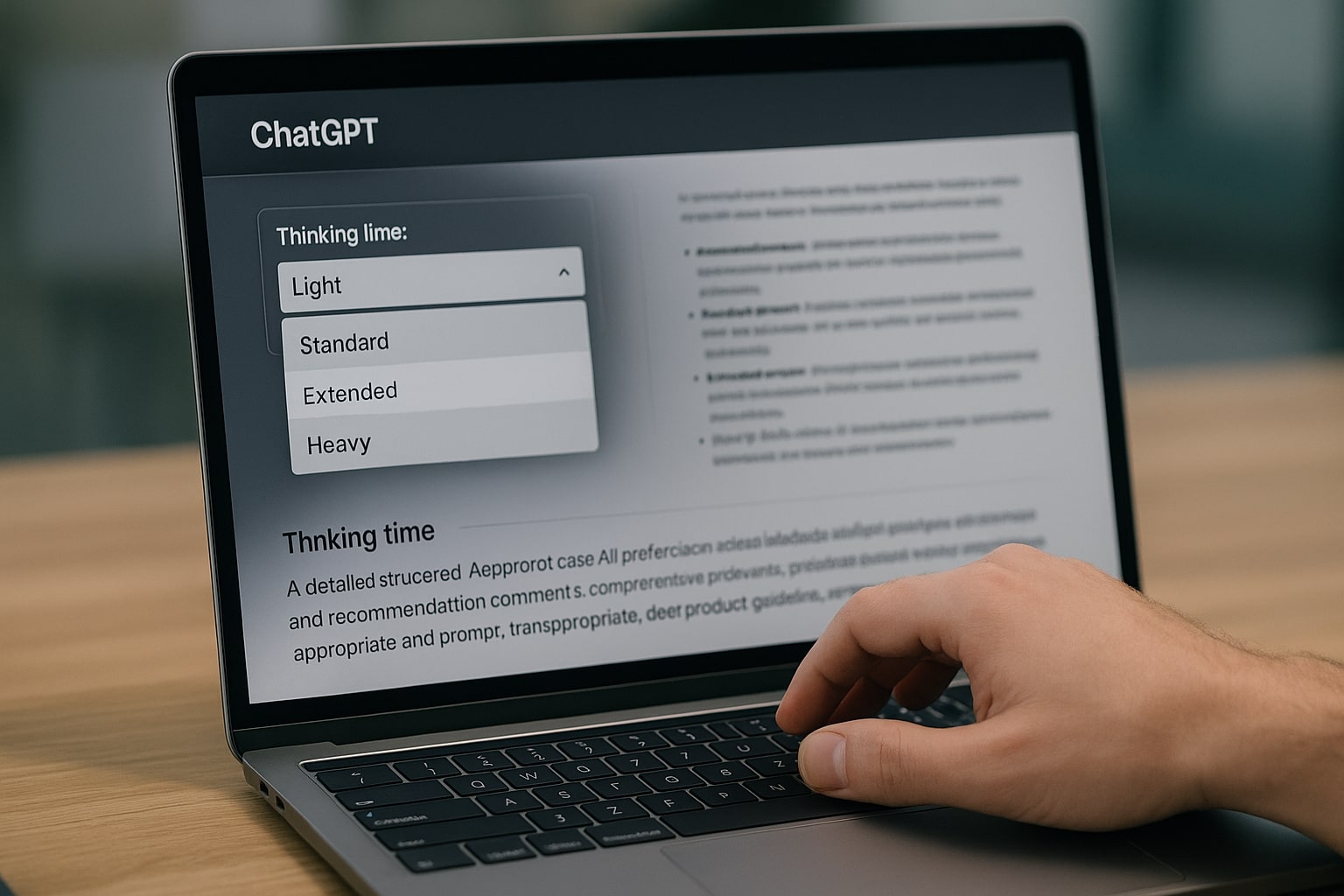
Thinking duration controls let you choose how much time ChatGPT spends on each answer.
How to Actually Control Thinking vs Instant in ChatGPT
From a user interface perspective, there are three layers of control that matter, model selection, Auto routing, and thinking duration.
Model picker and Auto mode
In current ChatGPT releases GPT-5.2 Instant, GPT-5.2 Thinking, and GPT-5.2 Pro appear as separate options, with Auto available in many accounts. OpenAI’s own onboarding materials emphasise that, for most users, the system now routes prompts automatically to the most appropriate mode, only exposing the model picker when you want explicit control.[3][12]
Auto is valuable when you do not want to manage the trade off manually. It uses signals from your prompt and from aggregate usage patterns to decide whether a question needs deeper reasoning, then routes some prompts to Thinking in the background.[6][12]
Thinking duration controls
If you pick Thinking explicitly you can then adjust how long the model is allowed to think. Recent updates introduced a small dropdown with presets like Light, Standard, Extended, and Heavy, each trading speed for depth.[11]
A simple way to use them:
- Light, for semi complex questions when you still care about speed, such as debugging a function or checking a short contract clause.
- Standard, the default balance for most professional work.
- Extended or Heavy, for high stakes decisions, large context analysis, or tasks where you specifically want more internal reasoning.
You do not have to use these controls every time. For many people, setting a default once, then toggling only in edge cases, is enough.
Common Misconceptions About ChatGPT Thinking vs Instant
Clarifying a few widespread myths makes it easier to design sane workflows.
“Thinking is always better than Instant”
Thinking is better on tasks that need chains of reasoning, long context, or explicit argument structure, but it is not automatically superior. On simple factual questions, short messages, or quick rewrites, Instant is often just as accurate and feels far more comfortable to use.[6][10][13]
Overusing Thinking where Instant would do simply burns more tokens and time.
“Instant cannot handle reasoning at all”
GPT-5.1 and GPT-5.2 Instant are still capable of non trivial reasoning. OpenAI stresses that Instant now includes adaptive reasoning to decide when to think more deeply before answering.[1][2] Independent testers found that for many coding and math benchmarks, Instant performs significantly better than older full sized models that did not have this capability.[10]
The difference is that Instant tries to use that extra effort sparingly, to keep conversations fast, whereas Thinking expects to work harder by default.
“Auto makes the choice irrelevant”
Auto mode is useful, but it is not magic. It uses learned patterns to guess which prompts need deeper reasoning, and those guesses will not always match your risk profile.[12][14] When you know that a particular task is high stakes, switching to Thinking deliberately is still the safer move.
Bringing ChatGPT Thinking vs Instant into Your Daily Stack
The gap between ChatGPT Thinking vs Instant is no longer abstract. At this point the service touches about ten percent of the world’s adults and routes more than two and a half billion prompts every day, which means that tiny differences in how you and your team pick modes compound into real time and money over a quarter or a year.[7][9]
A practical mindset helps. Treat Instant as the fast lane for drafts, small tasks, and exploratory questions, and treat Thinking as the slow but careful lane for decisions, long documents, and anything that will face external stakeholders. Let Auto handle boring cases, but do not be afraid to override it when the stakes go up. The sweet spot for many professionals is a simple loop, brainstorm and sketch in Instant, then review, stress test, and finalise in Thinking.
If you already use ChatGPT Thinking vs Instant in your daily work, share how you split the two in the comments, which tasks still feel confusing, and where the current modes help or get in your way, so other readers can compare notes and refine their own setups.
My Ratings for ChatGPT Thinking vs Instant
These ratings reflect how each mode performs in real work across depth,
speed, and overall usability. They are opinion based editorial scores,
not official OpenAI benchmarks.
ChatGPT Thinking mode
/ 5
Best for deep reasoning, long context synthesis, and decisions that
need clear structure. Slower than Instant but more reliable when you
bring in many documents or complex trade offs.
ChatGPT Instant mode
/ 5
Great for fast drafting, everyday questions, and quick back and forth.
Less suitable for high stake decisions or very long inputs where
Thinking has a clear advantage.
References
- OpenAI — GPT-5.1: A smarter, more conversational ChatGPT ↩
- OpenAI — GPT-5.1 Instant and GPT-5.1 Thinking System Card Addendum ↩
- OpenAI — Introducing GPT-5.2 ↩
- OpenAI — Update to GPT-5 System Card: GPT-5.2 ↩
- OpenAI Help Center — ChatGPT Business: Models and Limits ↩
- OpenAI — Reasoning models guide ↩
- OpenAI — How people are using ChatGPT ↩
- Business Insider — OpenAI says its new GPT-5.2 set a state of the art score for professional knowledge work ↩
- Business Insider — ChatGPT is now being used by 10% of the world's adult population ↩
- TechRadar — ChatGPT 5.1 is smarter, nicer, and better at actually doing what you asked ↩
- TechRadar — You can now toggle GPT-5 thinking time for faster or smarter answers ↩
- TTMS — ChatGPT 5 modes, Auto, Fast, Instant, Thinking, Pro ↩
- Mindliftly — GPT-5.1 Thinking vs Instant, comparison and smart tips ↩
- Skywork.ai — GPT-5.1 Thinking vs Instant vs Standard comparison ↩