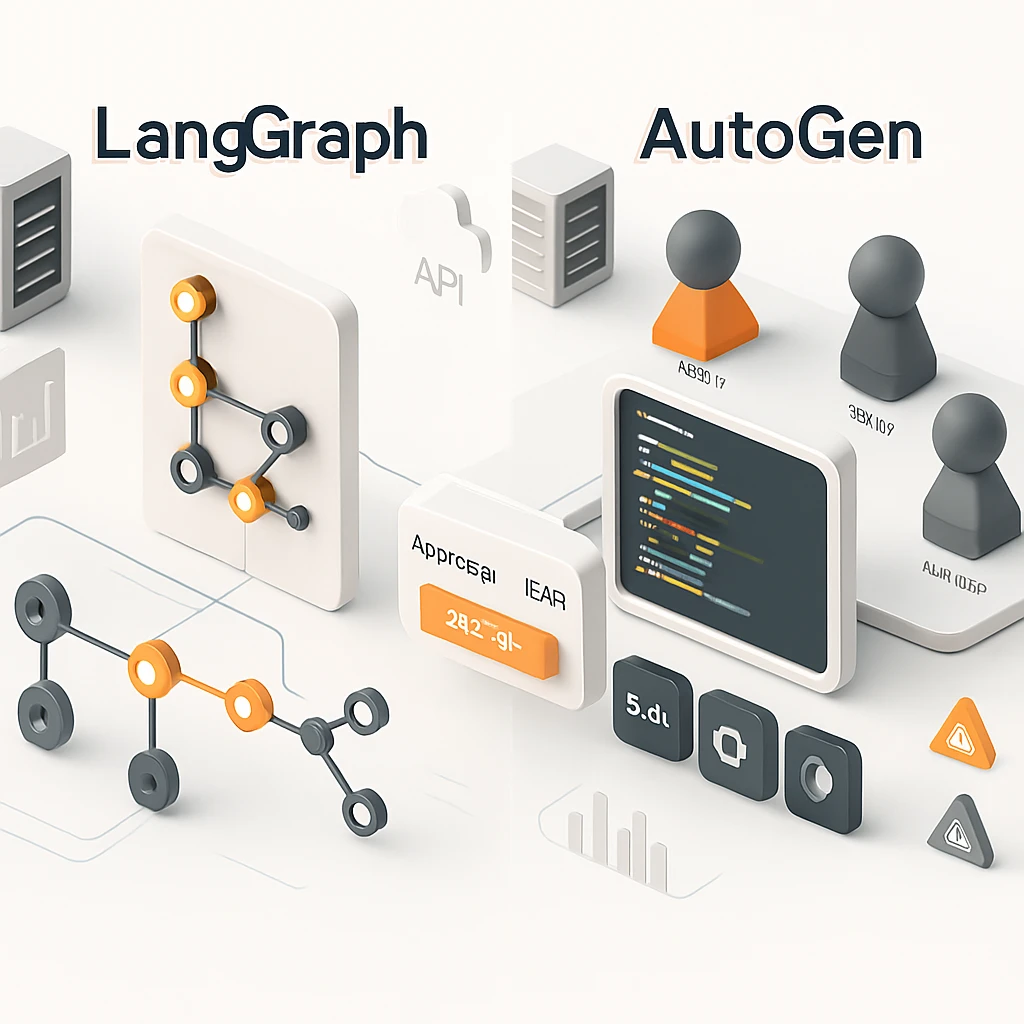
Agentops 2025: LangGraph suits durable, stateful workflows with human-in-the-loop; AutoGen suits multi-agent collaboration and code execution.
- State: LangGraph uses checkpoints/threads for rewindable runs; AutoGen persistence is app-managed.
- Orchestration: LangGraph provides interrupts and streaming; AutoGen provides team patterns and fast iteration.
- Safety: Use HITL for risky actions and containerized executors with timeouts and allow-lists.
- Deploy/Observe: Instrument traces, costs, and latency; support replay and forks for audits.
Margabagus.com – It feels less like wiring chatbots and more like running mission control. In 2025, “agentops” blends software engineering, observability, and safety into one discipline where I, and you, plan for retries, time travel through state, stream partial results, and invite humans to approve actions. Two ecosystems dominate real projects: LangGraph, a low-level orchestration layer built for stateful agents with checkpointers and threads, and AutoGen/AG2, a flexible multi-agent framework that excels at code execution and team-of-agents patterns. LangGraph leans into durable state and human-in-the-loop, while AutoGen’s v0.4+ redesign sharpened its architecture and tooling for scale.[1][2][3][10]
What “AgentOps 2025” Really Means for Your Stack
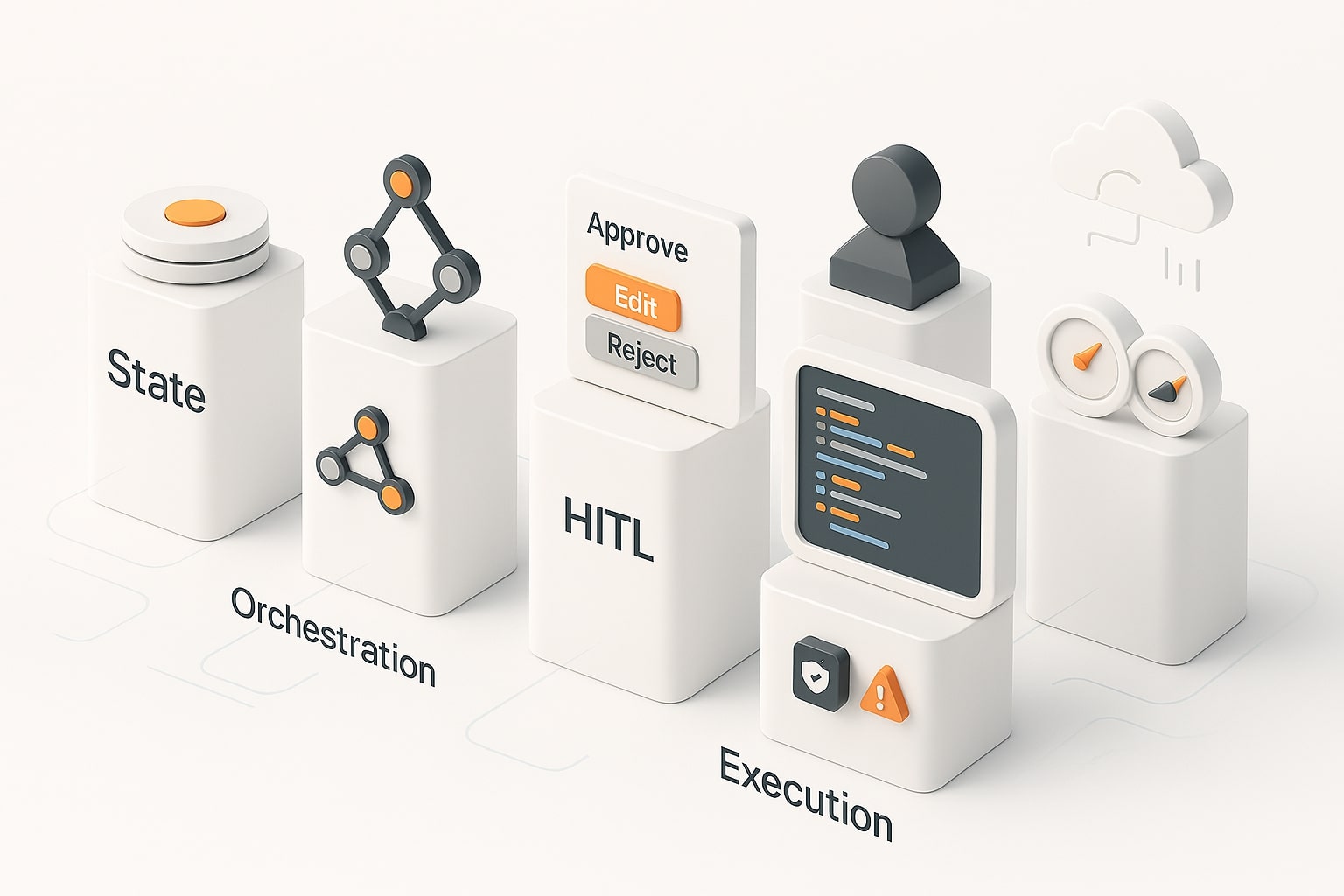
Agentops is the operational playbook for AI agents in production, not just “can it talk,” but “will it recover, audit, and scale.” In practice, I care about five pillars: state management, orchestration, human-in-the-loop (HITL), execution safety, and deployment & observability. If your agents run for minutes or hours, you need a spine that can pause, resume, and fork runs without losing context. If your agents generate and run code, you need isolation, timeouts, and strict tool surfaces. Your choice of LangGraph or AutoGen is really a choice about these guarantees.[1][2][9][11]
Check out this fascinating article: The Ultimate AI Agent Tools and Frameworks Comparison Guide for 2025: Which Solution Is Right for You?
LangGraph at a Glance: Stateful Agents and Durable Orchestration
LangGraph is built for stateful workflows. You model an agent as a graph of nodes, then rely on checkpointers to persist state at each “super-step,” creating threads you can resume or even rewind. That design naturally supports HITL: interrupt a node, wait for human approval, then continue the run with the same context intact. Because state is explicit, you gain auditability and the ability to fork runs when requirements change. In day-to-day operations, this translates to fewer brittle hacks and more predictable recovery when something goes off-script.[1][2][3][4][5]
Strengths you’ll feel in production
-
First-class persistence with resumable threads and “time travel” via checkpoints.
-
HITL as a primitive: pause a node, inject feedback, resume cleanly.
-
Streaming of intermediate events, so long jobs feel responsive to end users.
Trade-offs to plan for
-
You’ll think like a workflow engineer: graphs, nodes, and state schemas.
-
Tool execution is delegated, you wire the environments you need (e.g., HTTP, DB, or job runners).
-
Requires discipline around versioning your graphs as they evolve.
AutoGen at a Glance: Multi-Agent Collaboration and Code Execution
AutoGen focuses on teams of agents that coordinate through structured conversations and tool calls. It shines when I need an assistant that can plan, draft code, execute it in a sandbox, then iterate based on results. The framework provides roles (e.g., an assistant, a user proxy, a reviewer) and supports executors for running code, crucial for data tasks, ETL jobs, or verification loops. It’s a natural fit for exploratory problem-solving where agents produce artifacts and “prove” them by running tests or scripts.[9][10][11][15][16]
Strengths you’ll notice fast
-
Built-in patterns for multi-agent “group chat” and role specialization.
-
First-party code executors (CLI/Jupyter) and community backends for isolation.
-
Quick prototyping: compose agents, register tools, and iterate rapidly.
Trade-offs to budget for
-
Persistence is your responsibility: you design save/load of state to your DB/cache.
-
HITL is modeled at the agent/workflow layer rather than as a server-side primitive.
-
Observability is “bring your own” (logging, tracing, metrics), which you should tackle early.
LangGraph vs AutoGen: The State Model That Survives Production
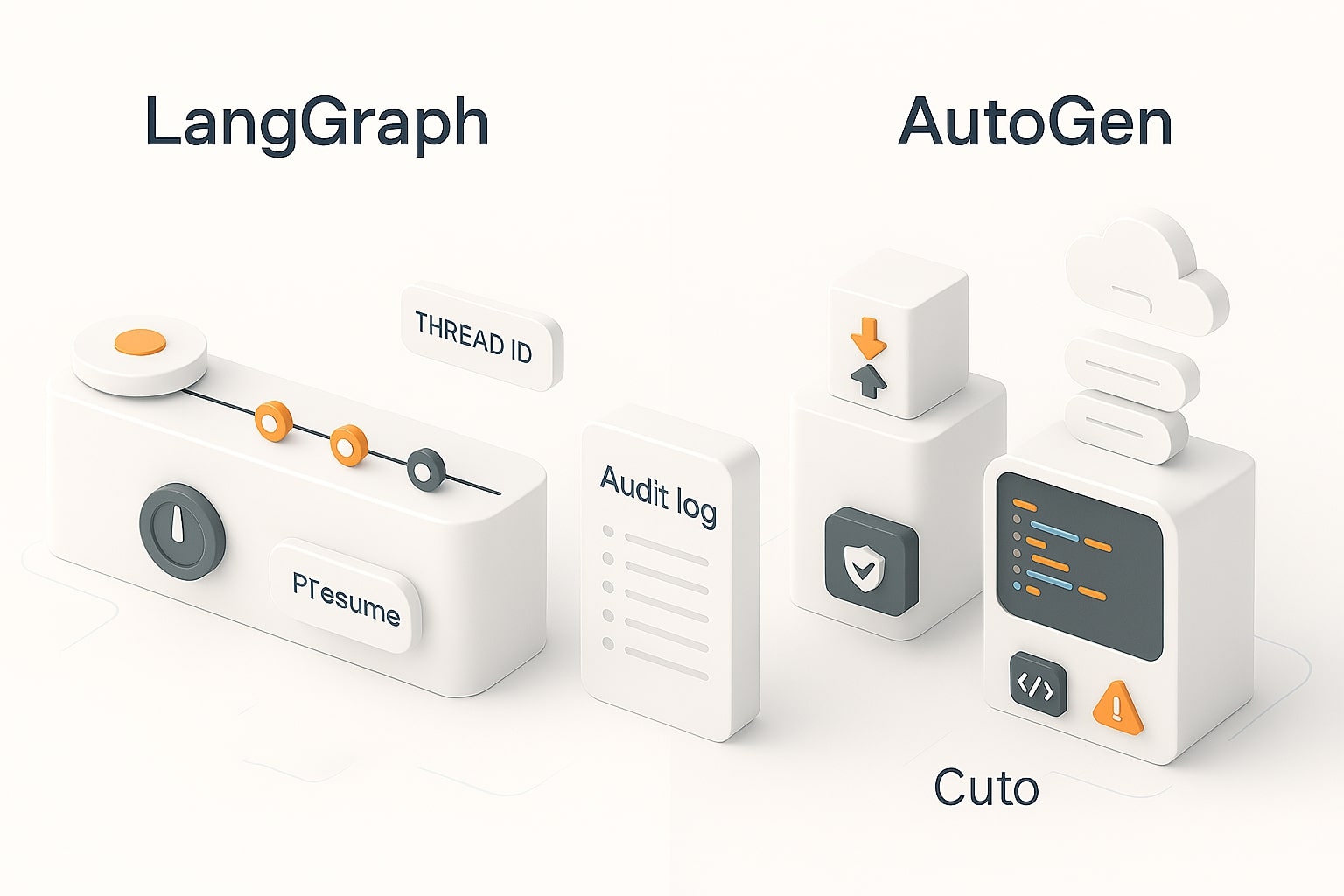
Long-lived agents live or die by state. LangGraph persists graph state via checkpoints, giving you threads you can resume, edit, or fork without rebuilding context. This enables auditability and deterministic replays. AutoGen stores short-term conversational state in memory and exposes APIs to save/load at the agent/team layer; you choose where and how to persist it. If your app’s core promise is “never lose the thread,” LangGraph feels like the straighter path. If your promise is “agents that think together and run code,” AutoGen hits the ground running and lets you bolt on the persistence you want.[2][8][11]
Orchestration and Human-in-the-Loop, When People Must Approve
In the real world, some steps require a person to sign off. LangGraph treats HITL as a first-class operation: interrupt a node, surface a review UI, then resume with an explicit decision payload. You can also rewind to a prior checkpoint to branch an alternative path when a reviewer requests changes. AutoGen supports human agents and hand-offs, but you script the loop yourself: present the context, wait for input, and continue the agents’ conversation. Both patterns work; one is a primitive, the other is an idiom. Your compliance requirements usually decide which you need.[10][11]
Code Execution, Tooling, and Safety Controls
When agents write and run code, AutoGen has an edge: it offers command-line and Jupyter executors out of the box and integrates cleanly with containerized sandboxes. That makes “generate ➜ run ➜ verify” loops straightforward, which is invaluable for analytics, scripting, or automated checks. LangGraph can trigger any execution environment you wire as a tool, but it intentionally leaves the isolation strategy to you. Either way, adopt strict timeouts, quotas, and allow-lists for tools; track every execution with run-level logs and attach the artifacts your auditors will ask for later.[15][16][18]
Check out this fascinating article: Beginner’s Guide to Becoming an AI Agent Developer in 2025
Deployment and Observability Without the Guesswork
Treat your agent system like any other production service. With LangGraph, you get a clear separation between the graph definition and its runs, which simplifies exposing server APIs, supporting streaming, and replaying historical threads for debugging. Pair it with tracing (e.g., event timelines, token streams, cost and latency counters) so you can explain what happened during a long run. With AutoGen, you containerize your agent team and wire your own logging/metrics. In both worlds, a good dashboard beats guesswork: trace spans, success ratios, retry counts, and a searchable run log are non-negotiable once real users arrive.[4][5][3][12][13][14]
Study Case: A Refund-Approval Agent With HITL and Durable State
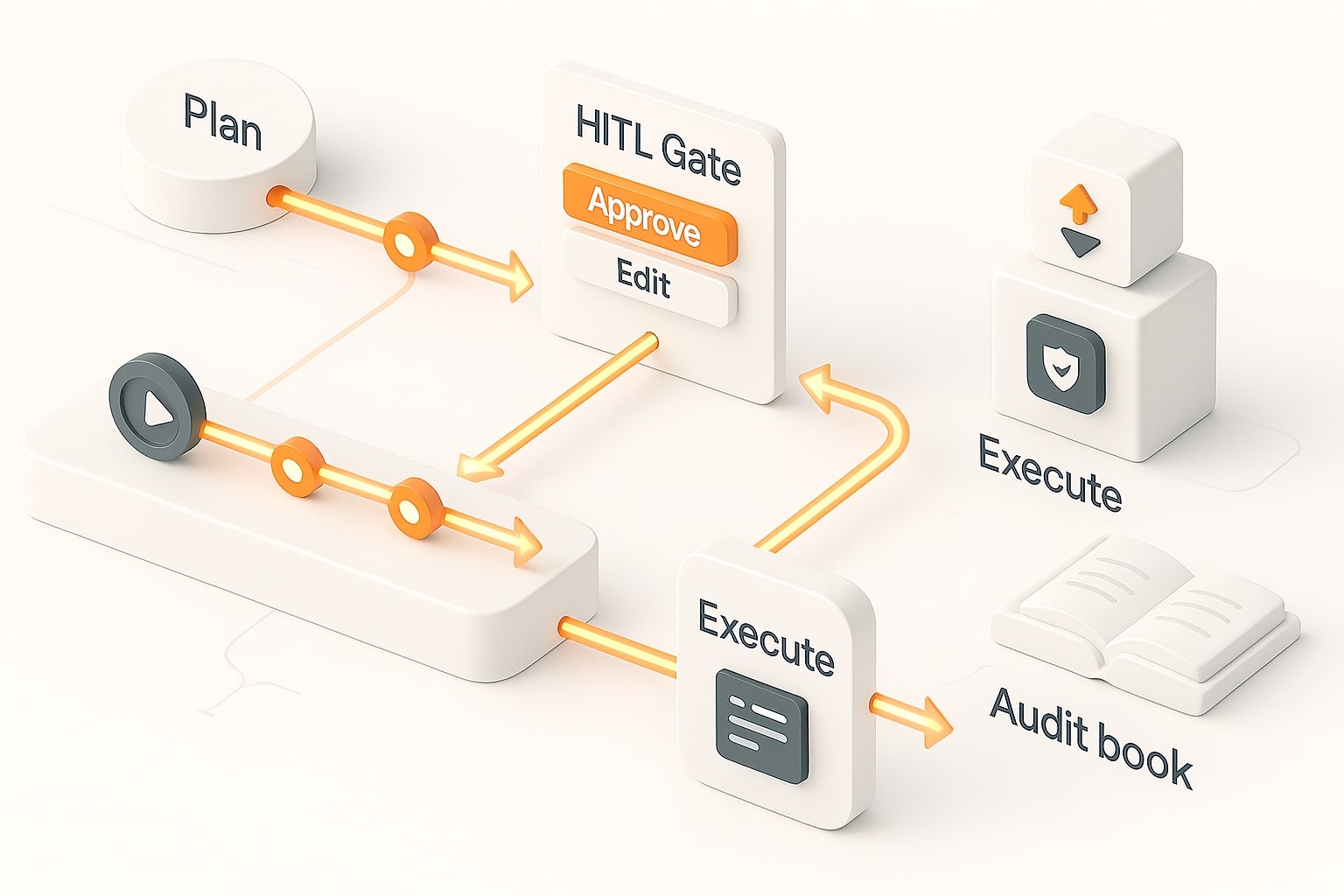
The scenario you and I actually deploy
A customer requests a refund. The agent validates the order, checks policy, computes the amount, halts for human approval, then executes the refund through the payments API and closes the ticket with a full audit trail. This requires stateful orchestration, HITL, and sometimes code execution for accounting scripts.
Process map (text)
- Ingest: Receive ticket and
order_id. - Plan: Outline steps, load policy, fetch order value.
- Compute: Calculate refund amount and rationale.
- HITL Gate: Present a human-readable summary, offer Approve / Edit / Reject.
- Act: On Approve, call payment and ledger tools; on Edit, recompute; on Reject, close with notes.
- Summarize: Write an immutable audit record and user-facing summary.
ASCII flow
Ticket -> [Plan] -> [Compute Refund] -> [HITL Gate] --Approve--> [Execute Refund] -> [Summarize/Close] \--Edit-----> [Recompute] -----^ \--Reject---> [Summarize/Close]LangGraph (Python) — HITL + Checkpointer + Resume
Minimal example that follows the official interrupt() + Command(resume=…) pattern and thread_id per run
from typing import TypedDict, Literal, Optional from typing_extensions import Annotated from langgraph.graph import StateGraph, START, END from langgraph.checkpoint.memory import InMemorySaver from langgraph.types import interrupt, Command class RefundState(TypedDict, total=False): order_id: str plan: str refund_amount: float approval: Optional[Literal["approve","edit","reject"]] note: Optional[str] def plan_node(state: RefundState) -> RefundState: return {"plan": f"Validate order {state['order_id']}, compute refund, request approval."} def compute_node(state: RefundState) -> RefundState: # placeholder: actual policy/rule engine call here amount = 125.00 return {"refund_amount": amount} def hitl_node(state: RefundState) -> RefundState: payload = { "review": { "order_id": state["order_id"], "amount": state["refund_amount"], "plan": state["plan"] }, "choices": ["approve", "edit", "reject"] } decision = interrupt(payload) # pauses until Command(resume=...) supplied # decision expected: {"approval": "...", "note": "...", "amount_override": float|None} if decision.get("amount_override"): state["refund_amount"] = float(decision["amount_override"]) return {"approval": decision["approval"], "note": decision.get("note")} def execute_node(state: RefundState) -> RefundState: if state["approval"] != "approve": return {} # call your payment API / ledger script here # e.g., refund_payment(order_id, amount) return {} def route(state: RefundState): return "summarize" if state.get("approval") in ("reject", "approve") else "compute" def summarize_node(state: RefundState) -> RefundState: return {} # write audit log / LangSmith trace as needed builder = StateGraph(RefundState) builder.add_node("plan", plan_node) builder.add_node("compute", compute_node) builder.add_node("hitl", hitl_node) builder.add_node("execute", execute_node) builder.add_node("summarize", summarize_node) builder.add_edge(START, "plan") builder.add_edge("plan", "compute") builder.add_edge("compute", "hitl") builder.add_conditional_edges("hitl", route, {"summarize":"summarize","compute":"compute"}) builder.add_edge("summarize", END) builder.add_edge("hitl", "execute") graph = builder.compile(checkpointer=InMemorySaver()) # 1) Start run with a thread_id cfg = {"configurable": {"thread_id": "refund-123"}} result = graph.invoke({"order_id": "SO-99101"}, config=cfg) if "__interrupt__" in result: # 2) Send human decision to resume graph.invoke(Command(resume={"approval":"approve","note":"OK"}), config=cfg)Why this pattern works: interrupt() cleanly pauses the graph and yields a structured payload to your UI. Because state is check pointed, you can edit or fork the thread and resume without losing context. For audit, you can replay or branch from any checkpoint.
AutoGen (Python) — multi-agent + code execution loop
from autogen_agentchat.agents import AssistantAgent, UserProxyAgent from autogen_agentchat.executors import LocalCommandLineCodeExecutor # Sandboxed executor (for production, use containers and strict policies) executor = LocalCommandLineCodeExecutor(timeout=30, work_dir="runs/refund_tmp") assistant = AssistantAgent( name="refund_coder", model_client={"model": "gpt-4o-mini"}, # or any OpenAI-compatible endpoint tools=[], # register your business tools here code_executor=executor ) ops = UserProxyAgent(name="ops_user", human_input_mode="NEVER") prompt = ( "Write a Python script that reads order_id and refund_amount, " "checks basic rules (amount>0 andWhere it shines: AutoGen is ideal when your agents must produce and execute artifacts, ETL snippets, validators, tests, then iterate. You control isolation (containers/VMs), tool allow-lists, and persistence of intermediate results in your own store.
Decision Guide You Can Trust Today
Choose LangGraph if your core need is durable, rewindable workflows with explicit state and native HITL. You’ll think like a workflow engineer, but the benefits show up the first time a long job fails and you recover in seconds.
Choose AutoGen if your app is a team of agents that must generate and run code, verify results, and iterate quickly. You’ll build fast, and you’ll manage persistence and telemetry the same way you do for other Python services.[17][16].
Production Runbook (Step-by-Step)
- Define the contract for state.
Write a typed state schema (keys, types, validation). Decide what must survive crashes or restarts. Make state diffs part of code review. - Sketch the happy path, then the failure paths.
Draw your graph or team topology. For each edge, list failure modes, retry rules, and what you will log when it breaks. - Install guardrails at the boundaries.
Before external actions, payments, emails, file writes, add a HITL gate or a policy check. Require explicit approvals for high-risk tools. - Choose execution isolation.
If agents run code, use containers or sandboxes with quotas and timeouts. Mount only what you need. Rotate credentials and scope tokens to the minimum. - Implement streaming for perceived speed.
Surface intermediate events, partial outputs, and heartbeat pings to the UI. Users tolerate long runs when they see progress. - Instrument everything from day one.
Emit structured logs per step (trace/run IDs). Track token counts, latency, cost, and success ratios. Keep traces for replay and audits. - Persist and tag every artifact.
Plans, prompts, tool inputs/outputs, generated scripts, diffs, approvals, store them with a run/thread ID. This turns “what happened?” into a search, not an investigation. - Build a replay and fork workflow.
One button to replay from a checkpoint with the same inputs; one button to fork with edits. This is where stateful design pays back. - Load test with realistic traffic.
Simulate long-running tasks, bursty workloads, and flaky dependencies. Measure queue depth, cold-start penalties, and model back-off behavior. - Plan your on-call and rollback.
Alerts with actionable context (last node, last tool, input size). Keep a “safe mode” that disables risky tools while leaving read-only diagnostics online.
Check out this fascinating article: Top 10 Trends Driving AI Agent Adoption in Modern Companies
The Bottom Line You Can Act On
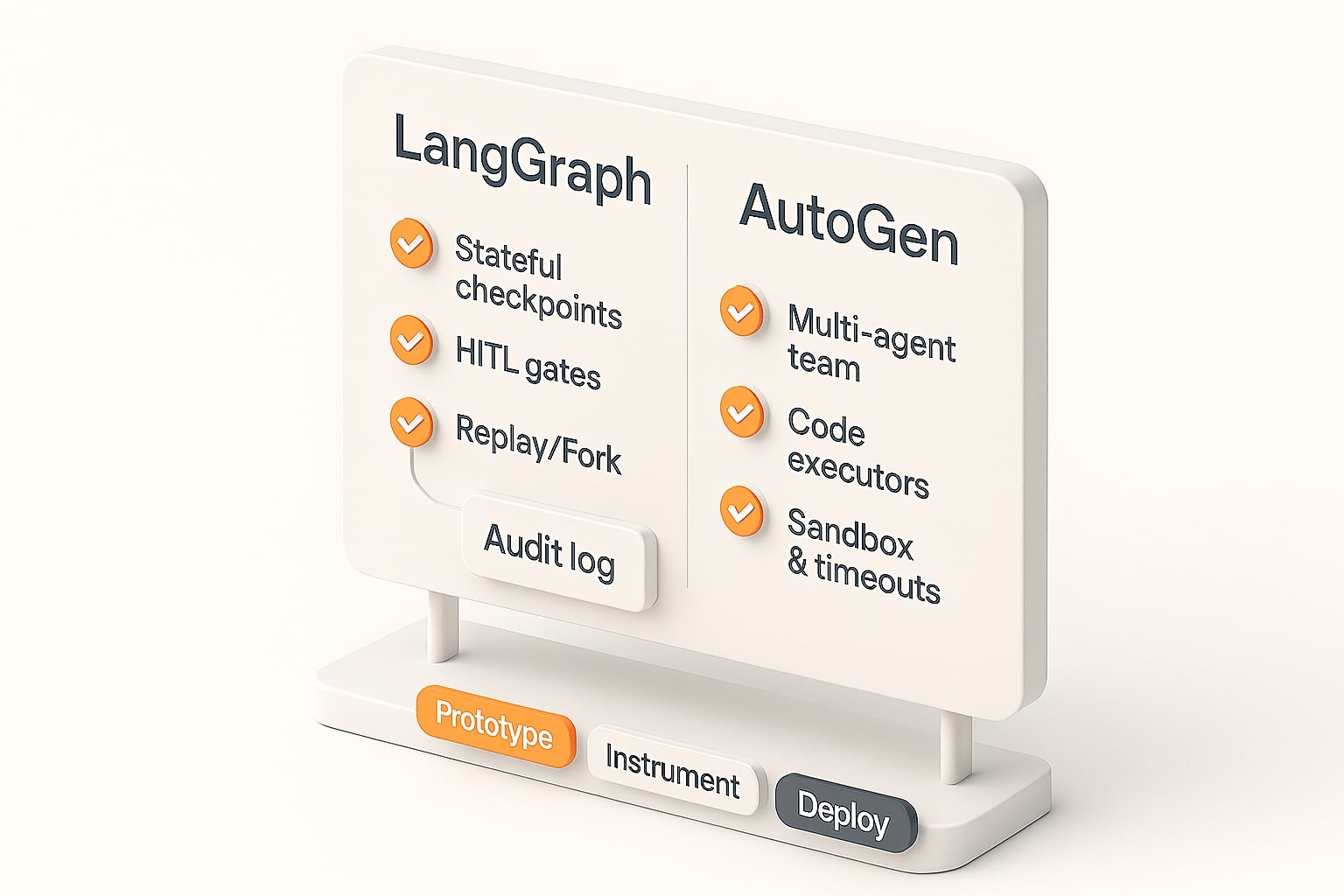
If your application has a workflow with review and replay, LangGraph’s stateful approach minimizes plumbing and reduces the risk of long-running jobs.[1][2] If your application has a team of agents writing/running code, AutoGen/AG2 provides robust execution and mature collaborative work patterns.[11][15][16] Many teams end up with a mix: rapid prototyping in AutoGen Studio, then putting the stateful orchestration backbone in LangGraph for the parts that require durability and HITL.
I’d love to hear about your setup, and what tooling has been most helpful or hindering. Leave a comment to discuss, or ask specific questions about integrating into your stack.
References
- LangGraph Docs — Persistence, Checkpointers, Threads
- LangChain — LangGraph Overview (stateful agents, streaming, moderation)
- LangGraph Platform — Deploy to Cloud from GitHub
- LangGraph Platform — Streaming API (join_stream)
- LangSmith — Observability Stack (Kubernetes Helm)
- Microsoft Research — AutoGen v0.4 redesign (Jan 14, 2025)
- AutoGen Docs — ConversableAgent (AgentChat)
- AutoGen Docs — Code Executors (Shell/Jupyter)
- Microsoft Research — Introducing AutoGen Studio (2024)
- AutoGen Studio — Serve Workflows as APIs
- AutoGen Docs — Managing State (save/load)
- LangGraph GitHub — MIT License
- AutoGen GitHub — MIT License
- LangChain Changelog — LangGraph Functional API & LangMem (2025)
- LangGraph Studio — Manage Threads (edit/fork, re-run)
Ready to apply this to your business?
Let's Talk Strategy →