
Margabagus.com – If you’ve ever browsed a product online and then seen ads for that exact item pop up on your social media or favorite websites, you’ve experienced retargeting firsthand. Unlike general digital advertising, which targets broad or new audiences, retargeting focuses specifically on reconnecting with users who have already engaged with your brand in some way, making it a more tailored and impactful approach. It’s a powerful digital marketing strategy that helps businesses reconnect with potential customers who’ve already shown interest in their products or services. In this guide, I’ll walk you through the essentials of Google Ads Retargeting, providing practical tips and actionable insights to help you get started.
What Is Google Ads Retargeting?
Google Ads Retargeting, often referred to as remarketing, allows advertisers to re-engage users who have interacted with their website, mobile app, or YouTube channel. This strategy works best on platforms like Google’s Display Network, YouTube, and even Gmail ads, where personalized and visually engaging formats can capture the audience’s attention effectively. This strategy ensures that your brand stays top-of-mind for potential customers by serving them tailored ads as they navigate other parts of the web.
Imagine someone visits your online store, adds a product to their cart, but doesn’t complete the purchase. Retargeting helps you reach these “almost customers” with compelling ads that encourage them to return and finalize their transaction.
How Does Google Ads Retargeting Work?

The process involves three key steps:
- Tracking Visitors: When someone visits your site, Google Ads places a small piece of code (a remarketing tag) on their browser. This tag collects anonymized data about their visit.
- Creating Audiences: Based on user behavior, you can segment your audience. For example, you might create a list of users who viewed a specific product or spent a certain amount of time on your website.
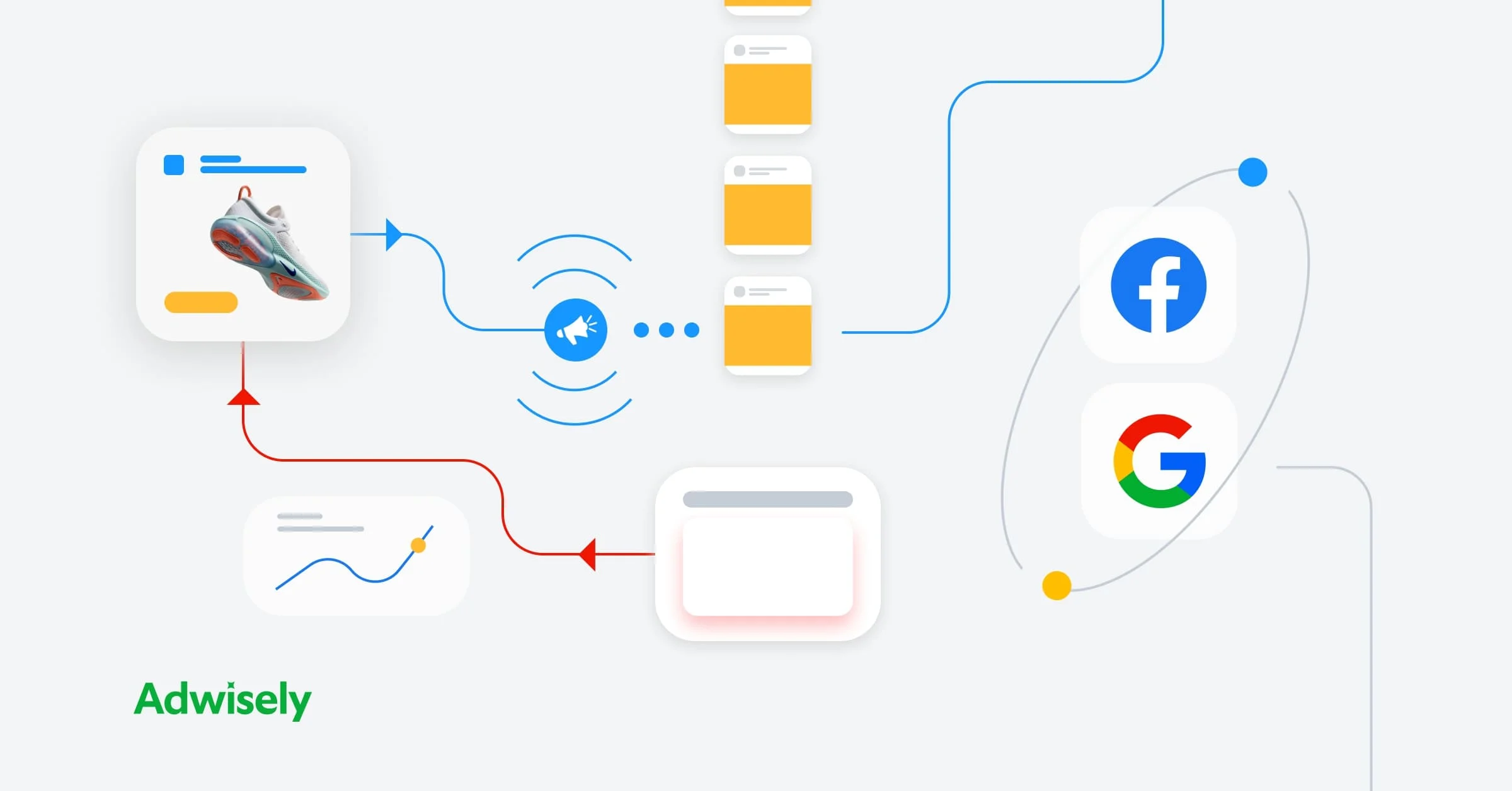
- Serving Ads: Once your audience lists are ready, you can design ads specifically for these users and display them across Google’s Display Network, YouTube, or even as search ads.
Why Use Retargeting?
Retargeting is a game-changer for several reasons:
- Increased Conversions: Visitors who are already familiar with your brand are more likely to convert than first-time visitors.
- Cost-Effective Marketing: You’re focusing your ad spend on users who have already shown interest, making each dollar more impactful.
- Personalized Messaging: Retargeting allows you to create hyper-relevant ads based on user behavior.
Check out this fascinating article: Modern Landing Pages for Lead Generation: A 2025 Guide
Setting Up Google Ads Retargeting: A Step-by-Step Guide

1. Install the Google Ads Tag
Start by adding the Google Ads remarketing tag to your website. You can find the tag in your Google Ads account under the “Audience Manager” section. If you’re using Google Tag Manager, implementing this tag becomes even easier.
2. Define Your Audience Lists
Google Ads provides various options for audience segmentation:
- Website Visitors: Target users who visited specific pages or performed specific actions.
- App Users: Retarget users who interacted with your app.
- Customer Match: Upload email addresses of your customers and target them across Google properties.
For beginners, a simple way to start is by targeting all website visitors or cart abandoners.
3. Create Engaging Ads
Your ad creative is crucial for retargeting success. Keep these tips in mind:
- Use Clear Call-to-Actions (CTAs): For example, “Complete Your Purchase Now” or “Limited Time Offer.”
- Incorporate Dynamic Ads: These automatically pull product images and details from your feed, creating highly personalized ads.
- Test Different Formats: Experiment with text ads, banners, and video ads to see what resonates best with your audience.
4. Set Up Your Campaign
When creating your campaign in Google Ads:
- Select the “Display Network” or “Search Network.”
- Choose “Remarketing” as the campaign subtype.
- Assign your audience list to the campaign.
- Set a budget and bidding strategy.
5. Monitor and Optimize
Once your campaign is live, keep a close eye on its performance. Utilize tools like Google Ads’ “Audience Insights” to understand who’s engaging with your ads and the “Ad Performance” report to analyze CTR, conversions, and impressions. Additionally, the “Auction Insights” report can provide valuable data about your competition, helping you refine bidding strategies for better results. Use metrics like click-through rates (CTR), conversion rates, and return on ad spend (ROAS) to identify what’s working. Don’t hesitate to tweak your audience targeting or ad creatives based on these insights.
Check out this fascinating article: Claude AI vs ChatGPT vs Gemini: Ultimate Battle 2025
Best Practices for Google Ads Retargeting
- Segment Your Audiences: Don’t treat all website visitors the same. Create specific audience lists for users who visited your homepage, viewed a product, or initiated checkout.
- Cap Frequency: Seeing the same ad too often can irritate users. Set frequency caps to control how often your ads appear to the same person.
- Leverage Exclusions: Avoid targeting users who’ve already converted or shown no interest after multiple impressions.
- Experiment with Lookalike Audiences: Expand your reach by targeting users who share similar traits with your retargeting audience.
- Focus on Mobile Optimization: Many users browse on mobile devices. Ensure your ads are mobile-friendly by using responsive design, mobile-specific CTAs, and optimized loading times. For example, a clear “Tap to Call” button or streamlined checkout process can significantly enhance user engagement on smaller screens.
Common Pitfalls to Avoid
- Overloading Users: Bombarding potential customers with too many ads can lead to ad fatigue.
- Neglecting Ad Design: Poorly designed ads can harm your brand’s image and fail to attract clicks.
- Ignoring Analytics: Without analyzing your campaign’s performance, you’ll miss opportunities for improvement.
Case Study: Retargeting Success
Let’s take a real-world example. An e-commerce store selling handmade candles noticed a high cart abandonment rate. By implementing Google Ads Retargeting, they served dynamic ads showcasing abandoned products with a 10% discount offer, effectively tapping into customer intent and urgency to recover lost sales. Within three weeks, their conversion rate improved by 30%, and their cart recovery rate doubled.
Conclusion
Google Ads Retargeting is a must-have strategy for any business looking to boost its digital marketing efforts. It’s not just about showing ads; it’s about building meaningful connections with your audience and guiding them toward taking action.
If you’re ready to supercharge your online presence with Google Ads Retargeting, I can help. Contact me here or click on the “Let’s Chat” button to start a conversation. Let’s create campaigns that convert and take your business to the next level!
Ready to apply this to your business?
Let's Talk Strategy →