September 2026 update: Suno still offers three main tiers—Free, Pro, and Premier—but the way those plans should be compared has changed significantly. In addition to generation credits, users now need to consider v6 model access, monthly download credits, commercial-use requirements, stem separation, and Suno Studio 2.0.
- Free: US$0, 50 generation credits/day or roughly 10 songs daily. Free users can access v6-mini, but outputs remain for personal, non-commercial use. Free accounts do not receive a recurring monthly download allowance.
- Pro: US$10/month or about US$8/month when billed yearly. Includes 2,500 generation credits/month, up to roughly 500 songs, access to v6 and v6-wild, priority generation, longer audio uploads, paid editing tools, stem separation, and 20 song download credits per month.
- Premier: US$30/month or about US$24/month when billed yearly. Includes 10,000 generation credits/month, up to roughly 2,000 songs, access to v6 and v6-wild, 60 monthly song downloads, Advanced Split, and Suno Studio 2.0 with deeper production and export tools.
- Annual billing: Suno continues to advertise roughly 20% savings for annual subscriptions, although taxes, currencies, regional pricing, and app-store billing can affect the final amount.
- Generation credits: included daily or monthly generation credits do not roll over. Purchased generation top-up credits do not expire, but they require an active Pro or Premier subscription to use.
- Download credits: Pro receives 20 monthly downloads and Premier receives 60. Included monthly download credits do not roll over, while separately purchased downloads or download packs can carry forward.
- Commercial use: Free-tier output remains non-commercial. Pro and Premier can support commercial use, but under Suno’s updated September 2026 terms, creators should also pay attention to whether the song was obtained through an eligible permitted download. Commercial-use permission does not automatically guarantee copyright protection in every jurisdiction.
Last checked: September 9, 2026. Suno’s v6 rollout, download rules, plan limits, and licensing terms are still evolving, so re-check the live Pricing page, Help Center, and Terms of Service before using AI-generated music in releases, ads, client work, streaming distribution, or other paid projects.
Margabagus.com – If you are comparing AI music generators in 2026, Suno is no longer just a tool for typing a prompt and getting a song back. It has evolved into a much broader music creation platform, and that makes choosing between Suno Free, Pro, and Premier more complicated than simply comparing monthly credits.
The biggest change arrived in September 2026.
On September 3, 2026, Suno introduced new download limits and updated its Terms of Service. Then, on September 9, 2026, Suno officially announced v6, its new generation of music models developed with music-industry partners including Warner Music Group, BMG, and Believe.[2][3][4]
That means the important questions are now broader than “How many Suno credits do I get?”
You also need to know:
- Which Suno plan includes v6?
- How many songs can you generate?
- How many songs can you actually download?
- Can Free songs be monetized?
- Do commercial rights continue after cancelling?
- Is Pro enough, or does Premier justify the extra cost?
This updated Suno Pricing 2026 guide answers those questions using Suno’s current Pricing page, Help Center, product announcements, Studio documentation, and Terms of Service.
Quick Summary: What Does Suno Cost in 2026?
Last checked: September 9, 2026. Suno currently has three main subscription tiers: Free, Pro, and Premier. The underlying credit allowances remain familiar, but new download limits and the launch of Suno v6 significantly change how the plans should be compared.[1][2][3]
- Free: US$0, 50 generation credits that renew daily, roughly enough for up to 10 songs per day under Suno’s public estimate. The new v6-mini model is available to everyone. Free output is for personal, non-commercial use.
- Pro: US$10/month on monthly billing or approximately US$8/month when billed annually. Includes 2,500 generation credits per month, up to about 500 songs under Suno’s estimate, commercial-use eligibility for permitted downloads, priority generation, paid editing tools, two stem-separation modes, and access to v6 and v6-wild.
- Premier: US$30/month or approximately US$24/month when billed annually. Includes 10,000 credits per month, up to about 2,000 songs, 60 monthly download credits, v6 and v6-wild, Suno Studio 2.0, Advanced Split stem separation, and unlimited exports from Studio workflows.
- Song downloads: Pro currently receives 20 download credits per month and Premier receives 60. Premier workflows inside Suno Studio are not subject to those download limits.[2]
- Free downloads: accounts created before September 3, 2026 can receive up to seven lifetime trial downloads. Newer Free accounts may occasionally receive trial downloads. Additional downloads may also be available for purchase. Trial downloads do not receive commercial-use rights.[2]
- Generation credit rollover: included subscription credits do not roll over. Purchased top-up generation credits do not expire but require an active paid subscription to use.[1]
- Download-credit rollover: monthly Pro and Premier download credits do not roll over. Individually purchased downloads or download packs do roll over.[5]
- Commercial use: under Suno’s Terms effective September 3, commercial exploitation requires an eligible paid-plan output and a permitted download through Suno’s approved download system.[4]
The simple answer: Free is still excellent for testing Suno. Pro remains the strongest value for most individual creators who want to publish or monetize music. Premier becomes much more compelling for producers who need Suno Studio, advanced stems, considerably more credits, and a larger download allowance.
How Much Does Suno Cost Per Month in 2026?
Suno offers monthly and annual billing for its paid plans. Its official pricing materials currently show a 20% saving when paying annually.[1][6]
| Plan | Monthly billing | Annual billing equivalent | Generation credits | Monthly downloads | Commercial use |
|---|---|---|---|---|---|
| Free | US$0 | US$0 | 50/day | No recurring monthly allowance | No |
| Pro | US$10/month | Approx. US$8/month | 2,500/month | 20/month | Yes, subject to Suno’s permitted-download rules |
| Premier | US$30/month | Approx. US$24/month | 10,000/month | 60/month | Yes, subject to Suno’s permitted-download rules |
Annual billing works out to approximately US$96 per year for Pro and US$288 per year for Premier. Suno says taxes are calculated at checkout, and final prices may vary depending on your region, currency, platform, or app-store billing.[1][6]
This is why it is worth checking the final checkout screen rather than relying only on a price shown in a search result or an older review.
Suno Free vs Pro vs Premier: What Is the Difference?
The difference between Suno plans is no longer just the number of songs you can generate.
Your subscription now affects model access, download allowances, commercial use, queue priority, audio uploads, editing tools, stems, Voices, Custom Models, and access to Suno Studio.
| Feature | Free | Pro | Premier |
|---|---|---|---|
| Price | US$0 | US$10/mo | US$30/mo |
| Generation credits | 50/day | 2,500/month | 10,000/month |
| Current v6 generation | v6-mini | v6-mini, v6, v6-wild | v6-mini, v6, v6-wild |
| Downloads | Trial/purchased downloads | 20/month | 60/month |
| Commercial use | No | Yes, for eligible permitted downloads | Yes, for eligible permitted downloads |
| Audio upload | Up to 8 minutes | Up to 30 minutes | Up to 30 minutes |
| Priority queue | Shared | Yes | Yes |
| Stem separation | No | Auto Split + Split from Mix | Auto Split + Split from Mix + Advanced Split |
| Suno Studio 2.0 | No | No | Yes |
For most users, the decision can be reduced to three questions:
- Are you just experimenting?
- Do you intend to monetize or deliver the music commercially?
- Do you need professional production tools rather than only song generation?
Your answers usually point naturally toward Free, Pro, or Premier.
Does Suno Free, Pro, or Premier Include v6?
Yes, but the version you receive depends on your plan.
On September 9, 2026, Suno introduced three models in the v6 family: v6, v6-wild, and v6-mini.[3]
What Is Suno v6-mini?
v6-mini is available to everyone, including Free users.
Suno describes it as a faster and more efficient version of its new model generation. This makes the Free plan significantly more interesting for people who want to evaluate Suno before subscribing.[3]
It also changes one important detail from earlier versions of this article: Free access should no longer be described only in terms of the older v4.5-all model now that Suno has officially announced v6-mini.
What Is Suno v6?
v6 is the flagship model for Pro and Premier subscribers.
According to Suno CEO and co-founder Mikey Shulman, v6 is designed to provide more precise, reliable, and polished results across genres and styles.[3]
The model also expands how creators can control songs. Suno says v6 can handle workflows such as:
- editing one part of a song without rebuilding the entire track,
- changing individual lyrics or sections,
- combining elements from multiple sources,
- sampling and isolating instruments inside a workflow,
- working from broader musical ideas and references, and
- creating from combinations of text, audio, images, and video.[3]
What Is Suno v6-wild?
v6-wild is also available to Pro and Premier subscribers.
Instead of emphasizing predictability, Suno positions v6-wild as the more exploratory member of the family. It is intended to create more varied, surprising, textured, or unconventional results that users can then refine further.[3]
If regular v6 is the model you use when you already know what you want, v6-wild is the model designed to help you discover directions you may not have considered.
Why Does Suno’s Pricing Page Still Mention v5.5?
There is an important timing issue to understand.
When this article was checked on September 9, 2026, Suno’s public Pricing page still displayed v5.5 and older model names in portions of its comparison table, even though Suno had officially announced v6 on the same day.[1][3]
Suno’s v6 announcement says that previous models will be retired as v6 rolls out and the platform will eventually move entirely to the v6 generation.[3]
So this article uses Suno’s newer v6 announcement for model availability while using the live Pricing page for current prices, credits, downloads, and subscription features.
This distinction is important because product pages can take time to reflect a same-day model rollout.
How Do Suno Credits Work in 2026?
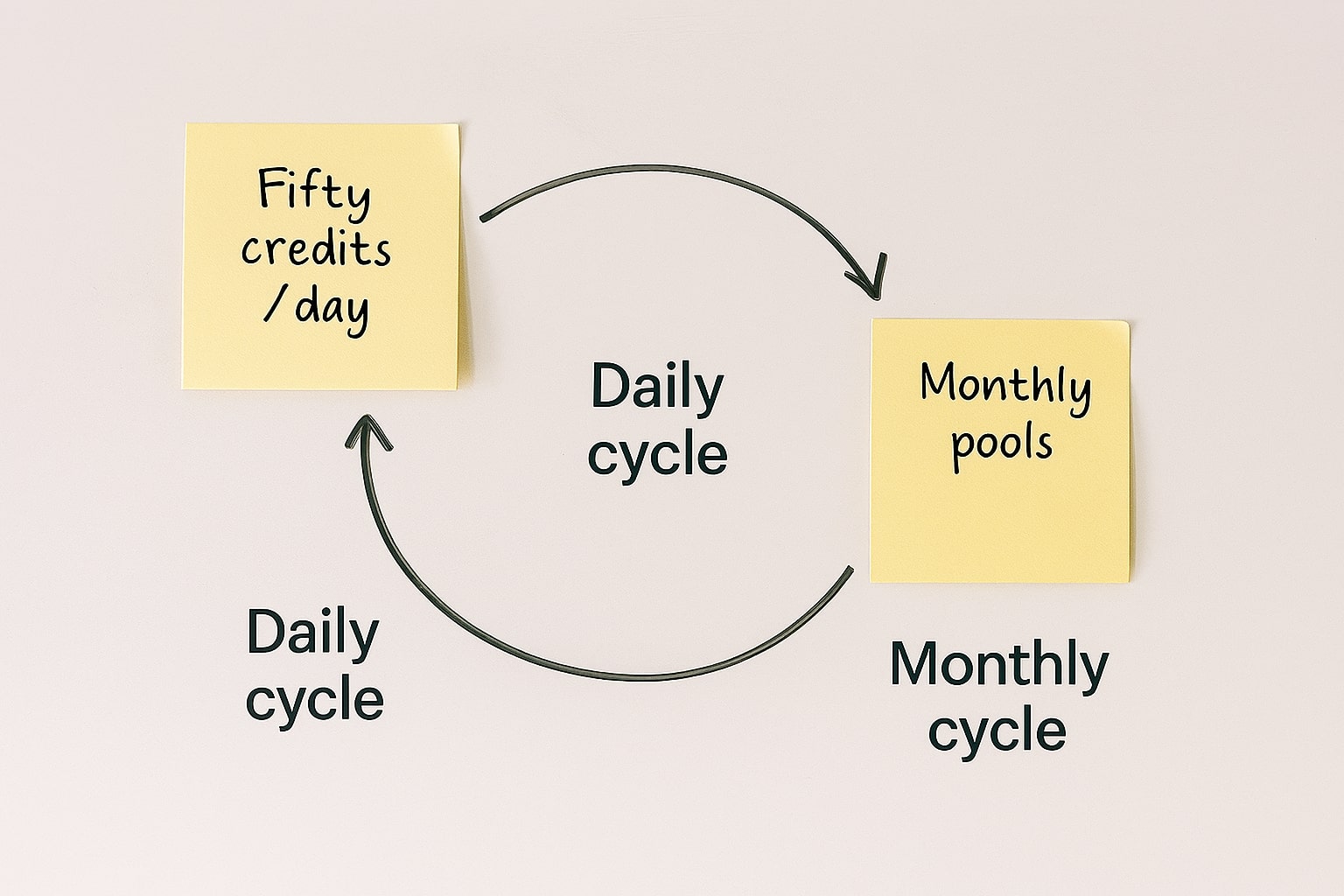
Suno uses generation credits to control how much music you can create.
These credits are separate from the newer download credits. That distinction is essential in late 2026.
You can potentially generate hundreds of songs during a subscription cycle but still have a much smaller allowance for downloading songs outside Suno.
How Many Credits Does Suno Free Give You?
The Free plan includes 50 credits that renew every day. Suno currently describes this as enough for approximately 10 songs per day.[1]
That is more than enough to explore prompts, structures, lyrics, genres, and general model behavior.
However, Free remains designed primarily for experimentation rather than commercial production.
How Many Credits Does Suno Pro Include?
Pro includes 2,500 generation credits per month, which Suno estimates as up to approximately 500 songs.[1]
This is usually enough for individual creators who need room for:
- multiple versions of a song,
- lyric revisions,
- style experiments,
- background music,
- YouTube projects,
- podcasts,
- client concepts, and
- independent music releases.
How Many Credits Does Suno Premier Include?
Premier includes 10,000 generation credits every month, which Suno estimates as up to approximately 2,000 songs.[1]
The real advantage is not simply four times the Pro credit allowance. Premier also unlocks Suno Studio and Suno’s most advanced stem workflow, making it closer to a production subscription than merely a larger generation package.
Do Suno Generation Credits Roll Over?
No. Generation credits included with Free, Pro, or Premier do not carry over to the next daily or monthly cycle.[1]
That means:
- Free credits renew daily rather than accumulating indefinitely.
- Pro’s included 2,500 credits refresh monthly.
- Premier’s included 10,000 credits refresh monthly.
Purchased top-up generation credits work differently. Suno says purchased top-up credits do not expire, although an active Pro or Premier subscription is required to use them.[1]
For paid creators, this makes top-ups useful when one unusually heavy project pushes you beyond your normal monthly allowance without requiring an immediate jump to a larger subscription.
How Many Songs Can You Download from Suno?
This is one of the most important Suno pricing changes in 2026.
Beginning September 3, 2026, Suno moved to a download-credit system.[2][7]
How Many Downloads Does Suno Pro Include?
Pro subscribers currently receive 20 song download credits per month.[2]
This is separate from the 2,500 generation credits.
In practical terms, a Pro subscriber may generate many hundreds of drafts and experiments but choose only the strongest 20 songs to download during the normal monthly allowance.
How Many Downloads Does Suno Premier Include?
Premier receives 60 song download credits per month.[2]
That gives high-volume creators three times the normal download allowance of Pro.
There is also an important exception: downloads and exports from Suno Studio workflows are not subject to the normal Premier download limit.[2][8]
Can Free Users Download Suno Songs?
Free users have more limited download access.
According to Suno’s September 2026 Help Center guidance:
- Free users who joined before September 3, 2026 receive up to seven lifetime trial downloads.
- Free users joining on or after September 3 may occasionally receive trial downloads.
- Free users can also have the ability to purchase additional downloads.
- Trial downloads are not eligible for commercial use.[2]
This means Free is still useful for experimentation and occasional offline files, but it should not be treated as a commercial publishing tier.
Do Suno Download Credits Roll Over?
Monthly download credits do not roll over.[5]
Pro receives another 20 when the monthly allocation refreshes, while Premier receives another 60.
Annual subscribers also receive their download allowances monthly rather than getting an entire year’s allowance at once.[5]
However, Suno says individually purchased downloads and purchased download packs do roll over. Free trial downloads can also remain available until used, but they do not replenish every month.[5]
This is an important distinction:
- Included generation credits: do not roll over.
- Purchased generation top-ups: do not expire while usable with an active subscription.
- Included monthly downloads: do not roll over.
- Purchased downloads/download packs: roll over.
Can You Use Suno Music Commercially in 2026?

Yes, but the rules changed in September 2026.
Suno’s Terms of Service effective September 3 make an important distinction between generating an output and obtaining a permitted Download that can be commercially exploited.[4]
Can Suno Free Songs Be Used Commercially?
No. Suno’s Terms state that Free or Basic-tier output is limited to lawful, personal, and non-commercial purposes.[4][9]
Free is appropriate for activities such as:
- learning how Suno works,
- experimenting with prompts,
- testing musical ideas,
- sharing songs through Suno, and
- using music in personal non-monetized projects.
If your project may eventually generate revenue, it is better to establish the correct paid workflow before treating the track as a commercial asset.
Can Suno Pro and Premier Songs Be Monetized?
Yes, subject to Suno’s current Terms and permitted-download requirements.
Suno’s updated Terms assign to Pro and Premier users Suno’s rights in qualifying output generated from their submissions, subject to the Terms and applicable commercial-use restrictions.[4]
The same Terms now state that commercial exploitation is permitted when the output has been obtained through an approved permitted Download under the download allocation for the user’s plan.[4]
Suno’s Help Center says paid-plan commercial use can include:
- distribution to streaming services,
- monetized releases,
- film and television projects,
- video games,
- independent music sales, and
- other commercial uses permitted by the Terms.[10]
This is an important update from earlier 2026 guidance. Creators should no longer think only in terms of “I generated this while subscribed.” Under the current Terms, the permitted download is also part of the commercial-use workflow.
Do Commercial Rights Continue After You Cancel Suno?
For eligible permitted downloads, yes.
Suno’s current Terms state that rights granted for an eligible Download are perpetual and are not revoked simply because you later exhaust your download allocation, cancel, downgrade, or allow the paid subscription to expire.[4]
That makes record keeping important.
For client work or serious releases, keep:
- the final downloaded file,
- the creation date,
- the download date,
- your subscription records, and
- project documentation showing your own creative contributions.
Does Commercial Use Mean You Automatically Own the Copyright?
No. Commercial-use permission and copyright protection are two different questions.
Suno explicitly states that it does not guarantee that copyright will exist in any AI-generated output.[4][10]
Copyright eligibility depends on the applicable law in your jurisdiction and the amount and type of protectable human authorship involved.
This distinction matters because a track can be contractually permitted for commercial use under Suno’s Terms without automatically receiving the same copyright protection as a conventionally authored musical work.
For serious releases, it is sensible to increase your own creative involvement by:
- writing or significantly editing the lyrics,
- making original arrangement decisions,
- recording your own elements,
- editing and mixing the output,
- using your own legally controlled source material, and
- documenting the creative process.
You should also check the policies of Spotify distributors, stock platforms, ad networks, clients, or other third parties where the final music will be used.
What Happens to Commercial Rights for Suno Remixes?
This deserves special attention because Suno’s September 2026 Terms treat certain remixes differently.
Where Suno features allow another user to remix your Output, the Terms say the resulting Remix may be treated as jointly owned by you and the remixer to the extent copyright exists. However, the Terms also state that such Remixes are restricted to personal and non-commercial use regardless of subscription tier or permitted-download status, unless a separate offering says otherwise.[4]
In other words, do not automatically assume that every remix created through Suno inherits the commercial rights of your original paid-plan song.
What Does Suno Studio 2.0 Add to Premier?
Suno Studio 2.0 is one of the strongest reasons to consider Premier instead of Pro.
Launched on August 13, 2026, Studio 2.0 turns Suno into a more complete browser-based generative DAW rather than just a song-generation interface.[8]
Studio 2.0 includes features such as:
- MIDI: import, record, and edit MIDI directly on the timeline.
- Chat bar: create instruments and vocals, adjust the project, and build custom plugins through conversational instructions.
- Audio effects: including tools such as sidechain compression and convolution reverb.
- Wavetable synth: create and modify synth sounds inside Studio.
- Automation: change effect and track parameters over time.
- Advanced stem separation: extract elements from Suno songs or externally uploaded audio.
- High-quality export: Suno says Premier users can export 32-bit/48kHz multitracks and stems from Studio without the normal download limitation.[8]
For someone making an occasional YouTube soundtrack, most of this may be unnecessary.
For a producer, composer, agency, or creator who wants to move from AI generation into arrangement and production, however, Premier becomes a fundamentally different proposition.
What Is the Difference Between Suno Pro and Premier Stem Separation?
Suno currently provides three stem-separation workflows.[11]
Auto Split
Auto Split automatically breaks a song into as many as 12 categories such as drums, bass, guitar, keys, woodwinds, and other components.
It is available to Pro and Premier.
Split from Mix
Split from Mix is designed for targeted separation. You can select a voice or instrument and receive that isolated element along with a version of the track where that element has been removed.
It is also available to Pro and Premier.
Advanced Split
Advanced Split offers much more granular control, with Suno describing support for choosing from nearly 100 instrument types.
Advanced Split is Premier-only.[11]
For producers, this distinction can matter more than the difference in generation credits because the ability to separate, rearrange, replace, and export individual elements changes how useful an AI-generated song is inside a real production workflow.
What Happened to Voices, Custom Models, and My Taste After v6?
Voices, Custom Models, and My Taste were major additions introduced alongside v5.5 in March 2026.[12][13]
The v6 launch now creates a transition period.
Voices
Voices lets users capture their own voice and use it inside Suno music.
Suno originally launched Voices for Pro and Premier and built a verification process around the feature. In August 2026, Suno expanded Voices to mobile and announced that Free users could also try the feature, with broader functionality available on paid plans.[14]
This makes Voices more accessible than when v5.5 originally launched.
Custom Models
Custom Models were introduced as a way for Pro and Premier subscribers to tune personalized versions of v5.5 using music they own.
Suno’s Help Center says users can create up to three Custom Models using as few as six eligible songs, and users must own the rights to every song uploaded for training.[13]
At the time of this September 9 update, Suno’s Pricing page still refers specifically to custom versions of v5.5 while Suno’s new v6 announcement says older models will eventually be retired.[1][3]
Because Suno has not yet fully documented that transition on the Pricing page, it is better not to assume exactly how existing v5.5 Custom Models will map to the final v6-era workflow until Suno publishes additional guidance.
My Taste
My Taste was introduced as a personalization system that learns recurring preferences such as genres, moods, and musical tendencies. Suno described it as available to all users.[12]
It remains part of Suno’s broader push toward more personalized music creation, although the September 9 v6 announcement focuses primarily on the new model family and expanded creation controls.
Suno Pricing Calculator: How Many Credits Do You Actually Need?
Generation-credit numbers can sound enormous until you account for how creative work actually happens.
A finished song is rarely the first generation.
You may generate:
- several lyric variations,
- multiple genre interpretations,
- different vocals,
- alternative choruses,
- extensions,
- experimental v6-wild versions, and
- refined versions before selecting a final track.
Use the calculator below to estimate the generation capacity you may need for your own workflow.
Suno cost per month & songs per month
Estimate how many songs you can generate per month from a plan’s credits, and what that implies for your effective subscription cost per song.
Estimates only. Prices, credits, and terms can change—always confirm Suno’s live Pricing and Help Center before subscribing.
Suno’s current public plan estimates are:
- Free: 50 credits/day → up to about 10 songs.
- Pro: 2,500 credits/month → up to about 500 songs.
- Premier: 10,000 credits/month → up to about 2,000 songs.[1]
Remember that these are generation estimates, not promises of 500 or 2,000 finished publishable songs.
In most creative workflows, many generations are intentionally discarded. The real value of a larger credit allowance is not the number of final songs; it is the freedom to iterate before committing to one.
More on AI Music Pricing & Rights
Which Suno Plan Is Best for You?

The best plan depends less on how impressive the feature list looks and more on what will happen to your music after you generate it.
Choose Suno Free If You Are Still Experimenting
Free is the logical choice if you want to answer questions such as:
- Does Suno understand the genres I make?
- Can v6-mini produce music I would actually use?
- How should I structure prompts?
- How good are the vocals and arrangements?
- Do I enjoy working this way?
You receive daily generation credits without paying anything, and v6-mini now gives Free users a much newer model generation to evaluate.[3]
The trade-off is simple: treat Free output as non-commercial.
Choose Suno Pro If You Want to Publish or Monetize Music
For most serious individual creators, Pro remains the strongest value tier.
It gives you:
- 2,500 generation credits per month,
- 20 downloads per month,
- v6 and v6-wild,
- commercial-use eligibility under Suno’s current Terms,
- priority generation,
- advanced editing,
- longer audio uploads,
- paid Voices functionality,
- Custom Models during the current transition, and
- Auto Split and Split from Mix stem separation.
That combination is suitable for many:
- YouTubers,
- podcasters,
- indie musicians,
- freelancers,
- small agencies,
- social creators,
- game developers, and
- people producing regular commercial content.
If you do not need a full generative DAW, Pro is usually the first paid plan worth testing.
Choose Premier If Suno Is Part of Your Production Workflow
Premier makes sense when you are no longer treating Suno as an occasional generator.
The strongest reasons to upgrade are:
- 10,000 monthly generation credits,
- 60 normal song downloads per month,
- Suno Studio 2.0,
- unlimited Studio workflow exports,
- Advanced Split,
- high-quality multitrack export,
- large volumes of experimentation, and
- a production process that regularly moves from generation into arrangement, stems, editing, and final export.
If you regularly hit Pro’s generation or download limits, Premier becomes easier to justify.
Is Suno Pro or Premier Worth Paying For?
The answer depends on whether your music has commercial value to you.
If you are making songs purely for fun, paying US$10 or US$30 every month may not make sense. Free now gives you access to v6-mini and enough daily credits to explore the platform seriously.
If you are creating music for monetized content, client work, releases, games, advertising, podcasts, or other professional projects, Pro solves much more than a credit shortage. It provides the paid-plan rights framework, flagship v6 models, downloads, priority generation, and production features you need to move work beyond experimentation.
Premier becomes worthwhile when the bottleneck changes again. Instead of asking “Can I legally use this?”, you start asking:
- Can I generate enough variations?
- Can I export enough finished songs?
- Can I get useful stems?
- Can I arrange and mix everything inside Suno?
- Can this platform replace part of my existing production workflow?
That is where Suno Studio 2.0 and Premier’s higher allowances provide real value.
A Simple Suno Pricing Decision Framework
- Are you making songs only for fun or experimentation?
Start with Free and v6-mini. - Do you want to monetize or deliver songs commercially?
Use Pro or Premier and follow Suno’s permitted-download rules. - Do you need the full v6 flagship model or v6-wild?
Choose Pro or Premier. - Do you need fewer than 20 final downloads per month?
Pro will probably be sufficient. - Do you need more than 20 normal downloads or much more generation capacity?
Consider Premier. - Do you need Studio 2.0, MIDI, automation, advanced stems, or professional multitrack exports?
Premier is the relevant tier. - Are you delivering music to clients?
Keep copies of permitted downloads and documentation of your subscription and creation process. - Are you uploading your own songs or voice?
Make sure you control the rights and permissions required by Suno’s Terms.
In 2026, the mistake is choosing a Suno plan only by looking at the number of generation credits.
You now need to evaluate generation capacity, download capacity, model access, production tools, and commercial-use requirements together.
Final Verdict: Free, Pro, or Premier?

As of September 9, 2026, Suno’s three-tier pricing structure is still relatively simple on paper:
- Free costs nothing and provides 50 daily credits plus access to the new v6-mini model.
- Pro costs US$10 monthly or approximately US$8/month with annual billing, includes 2,500 monthly credits, 20 monthly downloads, commercial-use eligibility, v6, and v6-wild.
- Premier costs US$30 monthly or approximately US$24/month with annual billing, includes 10,000 credits, 60 normal downloads, v6 and v6-wild, Advanced Split, and Suno Studio 2.0.
But the most important update is not the price.
Suno’s business model now separates creation from downloading much more clearly. You may have enough credits to generate hundreds or thousands of songs, while your standard monthly download allowance remains much smaller.
At the same time, Suno’s September Terms make permitted downloads important to commercial-use rights, while v6 shifts the platform toward a new generation of models developed with music-industry partners.[3][4]
For most people, the recommendation remains straightforward:
- Choose Free if you want to experiment with AI music and v6-mini without commercial plans.
- Choose Pro if you want flagship v6 models and intend to publish, monetize, or use your music professionally.
- Choose Premier if Suno is becoming a serious production environment and you need Studio 2.0, more credits, more downloads, Advanced Split, and flexible multitrack exports.
The best Suno plan is therefore not necessarily the plan with the largest number of credits. It is the one that gives you enough room to create, legally use, download, and finish the music your workflow actually requires.
Suno Pricing 2026 FAQ
How much is Suno Pro in 2026?
Suno Pro costs US$10 per month on monthly billing. Annual billing reduces the effective cost to about US$8 per month, or roughly US$96 per year. Taxes and regional billing can affect the final checkout price. Pro includes 2,500 monthly generation credits, 20 monthly song downloads, paid commercial-use eligibility, priority generation, and access to the flagship v6 and v6-wild models.[1][3][6]
How much is Suno Premier in 2026?
Suno Premier costs US$30 per month on monthly billing or approximately US$24 per month when billed annually. Premier includes 10,000 generation credits, 60 monthly downloads, v6 and v6-wild, Advanced Split stem separation, and Suno Studio 2.0.[1][2][8]
Is Suno still free in 2026?
Yes. Suno still offers a Free plan with 50 credits that renew daily. Following the September 9 launch of Suno v6, the faster v6-mini model is available to everyone, including Free users. Free output remains limited to personal, non-commercial use under Suno’s current Terms.[1][3][4]
Does Suno Free include v6?
Free users receive access to v6-mini. The flagship v6 model and experimental v6-wild model are available to Pro and Premier subscribers. Suno says older models will eventually be retired as the v6 generation rolls out across the platform.[3]
What is the difference between Suno Pro and Premier?
Pro includes 2,500 generation credits and 20 song downloads per month. Premier increases this to 10,000 generation credits and 60 normal downloads per month and adds Suno Studio 2.0, Advanced Split, and unlimited exports from Studio workflows. Both plans receive access to v6 and v6-wild and can support commercial use when Suno’s permitted-download requirements are followed.[1][2][3][8]
Can I use Suno songs commercially?
Paid-plan output can be used commercially subject to Suno’s current Terms. Under the Terms effective September 3, 2026, commercial exploitation requires an eligible output and a permitted download obtained through Suno’s approved download process. Free-tier output and Free trial downloads are not eligible for commercial use.[2][4][10]
Do Suno commercial rights expire if I cancel Pro or Premier?
Suno’s current Terms say that commercial-use rights associated with an eligible permitted Download are perpetual and are not revoked simply because the subscription later expires, is cancelled, downgraded, or suspended.[4]
How many Suno songs can I download per month?
Pro currently includes 20 monthly download credits, while Premier includes 60. Suno Studio workflows on Premier are exempt from normal download limits. Free users have trial or purchased-download options rather than a recurring monthly download allowance.[2]
Do Suno download credits roll over?
No. The 20 monthly Pro downloads and 60 monthly Premier downloads do not roll over into the next cycle. Purchased individual downloads and purchased download packs do roll over. Free trial downloads can remain available until used but do not replenish monthly.[5]
Do Suno generation credits roll over?
No. Included generation credits do not carry over from one daily or monthly cycle to the next. Purchased generation top-up credits do not expire, but Suno requires an active paid subscription to use them.[1]
Does paying for Suno mean I automatically own the copyright?
No. Suno can grant contractual commercial-use rights and assign whatever rights it owns in qualifying paid-plan output, but the company explicitly says it cannot guarantee that copyright will exist in an AI-generated work. Copyright eligibility is determined by applicable law and can depend on factors such as human authorship and creative contribution.[4][10]
References
- Suno — Pricing
- Suno Help Center — How do downloads work?
- Suno — Introducing v6
- Suno — Terms of Service, effective September 3, 2026
- Suno Help Center — Do download credits roll over?
- Suno Hub — AI Music Software Pricing Overview
- Suno — An Update to Our Downloads Policy and Terms of Service
- Suno — Introducing Studio 2.0
- Suno Help Center — What rights do I have with the free plan?
- Suno Help Center — What rights do I have with a paid subscription?
- Suno — We've Made Improvements to Stem Separation
- Suno — Suno v5.5: More Expressive. More You.
- Suno Help Center — Custom Models in v5.5
- Suno — Updates to Voices
Frequently Asked Questions
Ready to apply this to your business?
Let's Talk Strategy →